Teams | Collaboration | Customer Service | Project Management

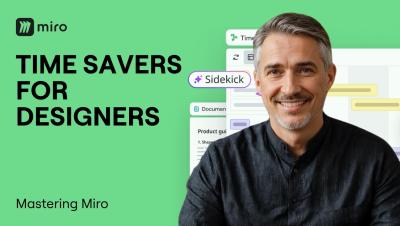
4 Miro AI Time-Savers Every Designer and UX Pro Should Know

Designers and UX pros spend too much time synthesizing research and mapping flows manually. In this video, we cover four AI-powered time-savers built for design workflows: summarizing user research instantly, turning insights into a structured repository with Miro Tables, visualizing user flows without drawing a single shape, and automating the entire research-to-direction process with Flows. From discovery to design direction. Without the busywork.

Better Visuals for Internal Communication: A Manager's Guide to AI Image Generation

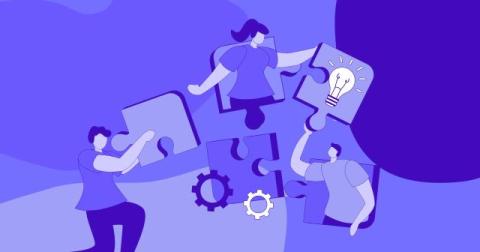
Every team communicates more than it realises. There are weekly updates, process changes, onboarding guides, event invitations, policy reminders and project announcements. Most of these messages are written quickly and shared in chat channels or email, and many of them are skimmed rather than read. A well-chosen visual can change that. A clear diagram explains a new process faster than three paragraphs, and a friendly header makes a weekly update feel worth opening.

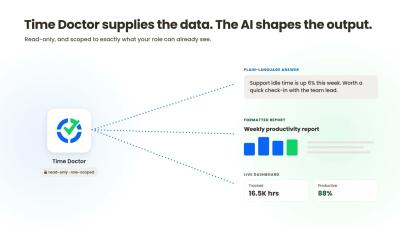
Time Doctor MCP: Analyze Workforce data in Claude, ChatGPT, and Gemini.

Time Doctor, now in Claude, ChatGPT, and Gemini. Ask your workforce data a question instead of exporting a report. In this video, Time Doctor shows how the Time Doctor MCP connects your Time Doctor data to the AI tools your team already uses. Ask about your distributed team in plain language, refine the answer with follow-up questions, and put Time Doctor hours next to your payroll, CRM, and project data in one place, without stitching spreadsheets together.

Context engineering: managing context quality for more efficient, effective AI

In 2025, companies spent a collective $581 billion on AI. The results were underwhelming: according to a study by MIT, 95% of Enterprise AI pilots showed zero impact on organization’s bottom lines. In short, the vast majority of AI pilots are unsuccessful. The reflex is to blame the models. The evidence points somewhere easier to control: context. Every answer AI produces is assembled from a context packet—the material used to respond to the presented prompt.

What are AI agents? A plain-language guide for teams

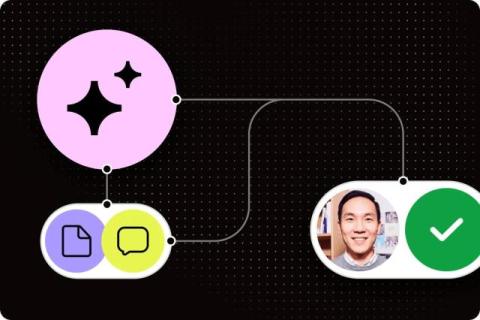
An agent pulls information from your other systems to finish a job, like gathering project updates and drafting a status report for someone to approve. Its permissions determine which actions it can take. This 10-minute guide goes over different types of agents and how they work. It also explores workplace examples and how agents support AI work management.

Miro AI Features That Save Hours of Work

Miro AI is more than a chatbot. It lives directly on your canvas and can generate Flows, Sidekicks, Prototypes, Docs, Diagrams, Sticky Notes, Tables, Images, and Mind Maps from simple prompts. In this video, we walk through every Miro AI capability so you know exactly what to reach for and when, whether you are running a sprint planning session, turning customer interviews into briefs, or generating an interactive prototype from a sticky note.

Slack School | How to Use MCP in Slack

Hearing a lot about MCP (Model Context Protocol), but still wondering what it actually does? We’ve got you covered. In this episode, we’ll break down MCP showing you how it compares to standard APIs, how an AI agent uses an MCP server to connect all the tools you rely on, and how it all comes together to get real work done in Slack. Class dismissed!

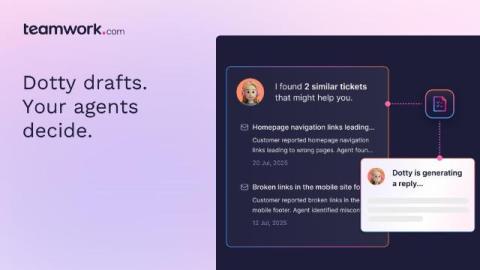
Meet Dotty: the AI Teammate that gets smarter with every ticket

Every ticket your team closes today makes the next one a little easier. That's not a metaphor, it's literally how Dotty works. Dotty is the AI Teammate built into Teamwork Desk. It drafts replies from your help docs and resolved tickets, surfaces the ticket that already solved this exact problem, and summarizes hand-offs so context isn't lost. Your agents review and send: nothing goes out untouched. But the real story isn't any one of those skills. It's what they're building together.