Teams | Collaboration | Customer Service | Project Management

Better Visuals for Internal Communication: A Manager's Guide to AI Image Generation

Every team communicates more than it realises. There are weekly updates, process changes, onboarding guides, event invitations, policy reminders and project announcements. Most of these messages are written quickly and shared in chat channels or email, and many of them are skimmed rather than read. A well-chosen visual can change that. A clear diagram explains a new process faster than three paragraphs, and a friendly header makes a weekly update feel worth opening.


How a SCORM LMS Supports Digital Training and Team Collaboration

Digital training requires consistent course delivery, measurable progress, and effective communication among employees, trainers, and managers. SCORM 1.2 provides a standard format that allows compatible online courses to communicate with a learning management system (LMS). This connection helps organizations assign courses, record learner activity, and review completion results through a structured process.

How Secure Team Messaging Improves Workplace Communication?

Workplace communication has changed significantly as businesses have adopted remote work, hybrid teams, and digital collaboration tools. Employees now rely on messaging platforms to exchange information, discuss projects, ask questions, and coordinate daily responsibilities. While fast communication can improve productivity, businesses also need to consider how workplace conversations and shared information are protected.

Why Custom Fulfillment Workflows Need Communication Built for the Job

Online retail, store replenishment, subscriptions, and wholesale orders all move through a warehouse differently. Treat them the same and you get delays, extra handling, and inventory that nobody quite trusts. That is why more businesses are moving away from one-size-fits-all fulfillment and building processes around their own products, channels, and customers.

AI-Generated Content in Team Communication: How to Set Guidelines That Work

A product manager posts a status update in the team channel on a Tuesday morning. It is four tidy paragraphs, bolded headings, a closing line that says the team “remains committed to delivering value.” Two engineers react with a thumbs up.

Shared Decks in Distributed Teams: Using AI Redesign Without Breaking the Content

Shared presentations have a familiar failure mode in distributed teams. A deck starts with one person, moves through several time zones, and eventually reaches the client meeting with four different fonts, mismatched slide sizes, and a chart nobody can edit because it was pasted in as an image. AI redesign tools can now clean up the visual side of a presentation in minutes. But they can also quietly alter, remove, or distort important content.

Video Communication for Distributed Teams: Match the Tool to the Conversation

Distributed teams don’t usually struggle because they lack video communication tools. The real challenge is knowing which tool to use for the right conversation. A quick question can easily turn into a 30-minute meeting, a company-wide announcement can become an unnecessary 400-person video call, and the same product walkthrough may be explained live multiple times when a single recording could do the job. The solution is to match the communication format to the purpose of the conversation.

How High-Speed Internet Helps Small Businesses Improve Team Collaboration

Small businesses increasingly depend on digital tools to communicate, share information, manage projects, and stay connected with employees and customers. When internet connectivity is slow or unreliable, everyday activities such as team messaging, file sharing, video meetings, and access to cloud applications can become frustrating and inefficient. High-speed internet gives employees the connectivity they need to communicate in real time and keep collaborative work moving.

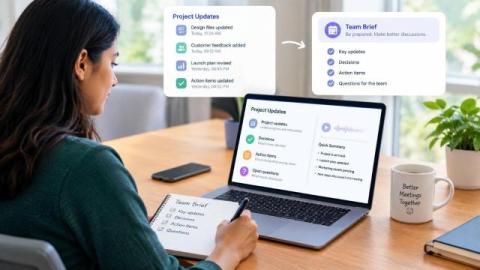
Listen to Project Updates Before a Meeting and Build a Clear Team Brief

The Monday project call is thirty minutes away. Since the last meeting, teammates in three time zones have added a decision log, customer notes, a launch update, and several action items to Notion. Everyone has access to the same page, but each person is arriving with a different amount of context. A listening brief can close that gap before the call begins.

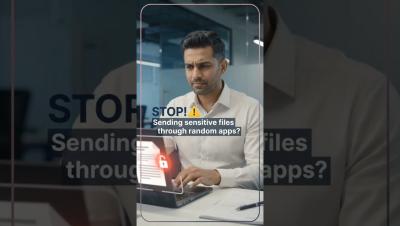
Stop Sending Sensitive Files Through Random Apps | Secure File Sharing #troopmessenger

Sensitive business files deserve more than random messaging apps. Uncontrolled file sharing can create unnecessary copies, scattered conversations, and less visibility over important business information. With Troop Messenger, teams can communicate and collaborate through a centralized business communication platform with secure file sharing and enterprise-focused controls. Choose a smarter way to share and collaborate.