Teams | Collaboration | Customer Service | Project Management

10 Service Desk Automation Ideas You Need to Apply ASAP

Help desk activities involve so many manual tasks that the job can quickly become tedious — leading to human error and high turnover. Service desk automation helps you avoid all that and allows IT support teams to focus on more complex and critical tasks. Some of the benefits that well-implemented automation can bring you include: Explore X InvGate Service Desk automation ideas in this video, and boost your support efficiency!

Integration benefits: Confluence and Jira Service Management | Atlassian

In this 5-minute video, we explore some of the benefits of integrating Confluence with Jira Service Management, and how using the two together can help your customers get the help they need faster. Come take a look at how you can enhance your support offerings when you bring every aspect of your work to the Atlassian suite! Use Confluence as a knowledge base to show helpful information to your customers, deflect common issues, and let your agents provide quick and reliable support.

How to track Zendesk tickets with Service Level Agreements (SLAs) in real-time

Geckoboard makes hitting SLA (Service Level Agreement) targets much easier. With Geckoboard, you can monitor Zendesk tickets, including any SLA policies in real-time. That means you can monitor SLA performance and stay on top of tickets which are about to breach their SLA. Geckoboard is a must for anyone working in Customer Support who uses Zendesk.

Unleash Your Team's Potential in a Fast-Paced World

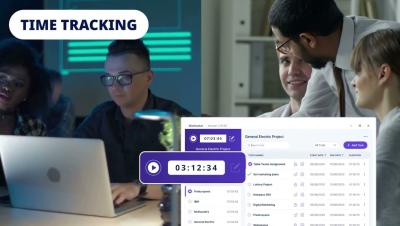
Discover how Workstatus can revolutionize your work environment. From time tracking to attendance management, we've got it all covered. Watch this video to learn how Workstatus can increase your efficiency by 70% and ROI by 35%. 👉 What's Inside This Video? Introduction to Workstatus Importance of Employee Productivity & Efficiency Key Features: Time Tracking, Online Timesheets, Attendance Management, and more!

Demo Den: How to use the command palette for Jira | Demo Den | Atlassian

In this demo, Emily Ditchfield, Product Manager - Jira Software, walks through the command palette capability. The command palette is a purpose-built user interface that allows you to seamlessly interact with Jira with just your keyboard. Use the command palette to find work, perform actions on issues, and navigate to key places in Jira. The features showcased in this video are available to all Jira cloud users.

How Businesses use Zendesk to Stay Agile

Sam Chandler used Zendesk to build her customer service organization "from the ground up." Sam says Zendesk enabled her company to be able to compete with their larger competitors. Zendesk makes customer service better. We build software to meet customer needs, set your team up for success, and keep your business in sync.