
Teams | Collaboration | Customer Service | Project Management

The latest News and Information on Collaboration, tools and related technologies.

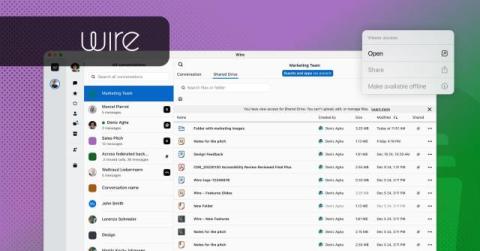
Introducing Viewer Mode: More Granular Access Permissions for Guests on Wire Drive

Bringing an external partner into a conversation shouldn't mean an all-or-nothing choice between locking them out entirely or handing over full access. Wire Drive now offers a middle ground: temporary guests and outside team participants will get view-only access to shared files by default, so collaboration stays open without the risk.

How Secure Team Messaging Improves Workplace Communication?

Workplace communication has changed significantly as businesses have adopted remote work, hybrid teams, and digital collaboration tools. Employees now rely on messaging platforms to exchange information, discuss projects, ask questions, and coordinate daily responsibilities. While fast communication can improve productivity, businesses also need to consider how workplace conversations and shared information are protected.

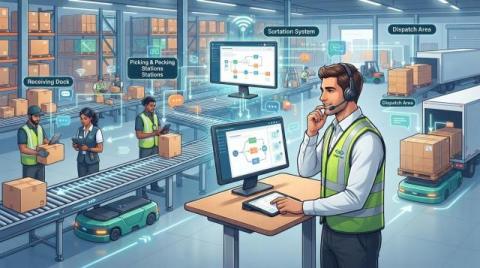
Why Custom Fulfillment Workflows Need Communication Built for the Job

Online retail, store replenishment, subscriptions, and wholesale orders all move through a warehouse differently. Treat them the same and you get delays, extra handling, and inventory that nobody quite trusts. That is why more businesses are moving away from one-size-fits-all fulfillment and building processes around their own products, channels, and customers.

AI-Generated Content in Team Communication: How to Set Guidelines That Work

A product manager posts a status update in the team channel on a Tuesday morning. It is four tidy paragraphs, bolded headings, a closing line that says the team “remains committed to delivering value.” Two engineers react with a thumbs up.

How ARM Creative runs full-service marketing campaigns with Asana AI

At ARM Creative, a single campaign can span broadcast TV, over-the-top (OTT) ads, radio, Spotify, paid social, display, and retargeting—all running at once, each with its own deadlines, specs, and approvals. It used to be that campaign updates lived in email threads, while feedback was scattered across Slack and inboxes. Without a shared system, it was difficult to see whether a deliverable was approved, in progress, or falling behind.

How The Browser Company moves so fast: 3 habits you can borrow

The Browser Company of New York, the startup behind the Dia browser and its earlier iteration, Arc, moves at a pace that seems impossible from the outside. It’s easy to assume its team of 65 is fast because it’s small and AI-native, but that’s only a part of it. The bigger factor is their unique way of collaborating that they deliberately designed to keep work from getting stuck.

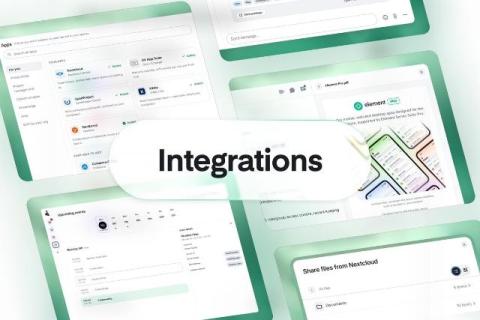
Smoother collaboration with integrations

People do their best work in a state of flow, when they can move from a conversation to a document to a task without breaking their train of thought. That puts the onus on productivity vendors to make their tools work together seamlessly. Customers running sovereign stacks tell us exactly that. As one put it: "It isn't a problem that the apps are named different things, or that they're made by different vendors.

Video Communication for Distributed Teams: Match the Tool to the Conversation

Distributed teams don’t usually struggle because they lack video communication tools. The real challenge is knowing which tool to use for the right conversation. A quick question can easily turn into a 30-minute meeting, a company-wide announcement can become an unnecessary 400-person video call, and the same product walkthrough may be explained live multiple times when a single recording could do the job. The solution is to match the communication format to the purpose of the conversation.

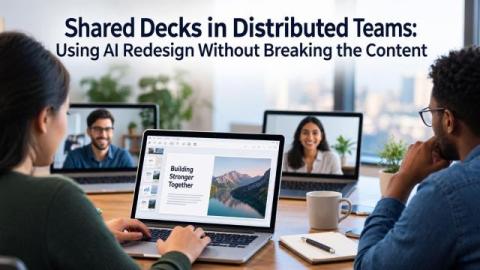
Shared Decks in Distributed Teams: Using AI Redesign Without Breaking the Content

Shared presentations have a familiar failure mode in distributed teams. A deck starts with one person, moves through several time zones, and eventually reaches the client meeting with four different fonts, mismatched slide sizes, and a chart nobody can edit because it was pasted in as an image. AI redesign tools can now clean up the visual side of a presentation in minutes. But they can also quietly alter, remove, or distort important content.