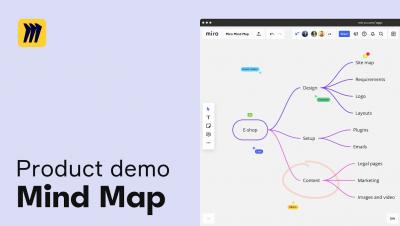
Now you can create horizontal or vertical mind maps, and change their style using the toolbar – you decide what works better for you. Also, use nodes linking functionality to show dependencies between ideas in your mind map. Learn more miro.com/mind-map
Property definitions are used for determining properties associated with classes. A property definition specifies the property name (which should naturally be as descriptive as possible) and the data type, which determines the type of the data entered (in relation to the property).
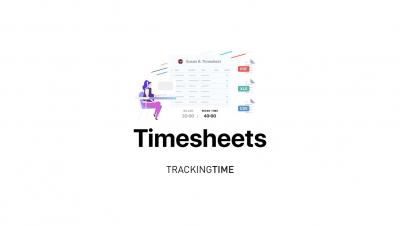
Buddy Punch can automatically punch your employees out based on how long they've worked, or based on their scheduled time. This video will explain how to setup either option.
When an employee forgets to punch out we have a feature to automatically punch them out. Later you'll need to fix that time by acting on the Automatic Punch Out. This video will explain that process.
Administrators of an account have access to update a profile for an employee. This can include updates to their name, email, password, overtime type, time zone, and many others. This video will describe how to make those changes.
Even if a document vault is destroyed or the data is somehow corrupted, you can always restore the healthy vault from a backup. The vault backup function can be used for backing up the document vault or for scheduling a recurring vault backup job. For more information visit
On December 3rd we hosted a panel of special guests from the Zendesk partner 729 Solutions! They shared their best recommendations and tips on emails and triggers in Zendesk Support with a small open session after their demos.
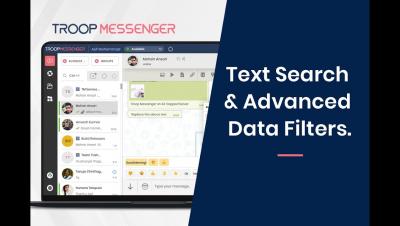
Find the features of text search and advanced message filters from the 3-dot menu. You can filter work conversations of the chat area by users, keywords, and by date-range. Use the data filters of; filter by image, filter by videos, filter by files, etc., over the group or in a one-on-one chat area to refine the conversation data in the way you want.
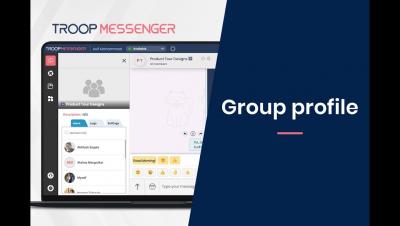
The group profile helps group members view the information by its name, purpose, profile image, and the group members list. You can get to know on which date and by whom it was created from the logs section!. Now, deleting chat conversations and files of the group has become easy. The group admin has special privileges to perform these actions on the chat data.