Rocket Chat Upgrade Path Demo
00:00 - Introduction
04:17 - Upgrade Plan
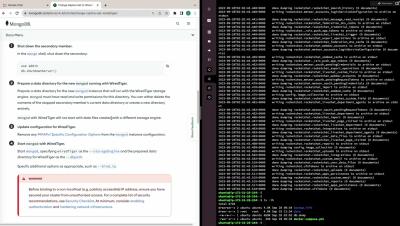
05:09 - Step 01: MongoDB MMAP to WiredTiger Migration
15:05 - Step 02: Rocket.Chat Upgrade #1
28:58 - Step 03: MongoDB Upgrade
52:04 - Step 04: Rocket.Chat Upgrade #2


The latest News and Information on Collaboration, tools and related technologies.
00:00 - Introduction
04:17 - Upgrade Plan
05:09 - Step 01: MongoDB MMAP to WiredTiger Migration
15:05 - Step 02: Rocket.Chat Upgrade #1
28:58 - Step 03: MongoDB Upgrade
52:04 - Step 04: Rocket.Chat Upgrade #2
Updating to the latest version is a vital part of digital housekeeping, and shouldn’t be skipped. Every time you postpone an update, you are exposing your system and information to security threats. How exactly? Outdated software may harbor security flaws that malicious parties can exploit to gain unauthorized access and take advantage of sensitive data.
Do you remember the days when the only way to receive customer support was to sit on hold for hours waiting to speak to an agent? How frustrating it was to explain your issue over and over? Thankfully, that is not the only option customers have today. The rise of service desk tools has revolutionized the way organizations provide customer support. This is only part of the reason why choosing the best service desk tool is key to delivering stellar support and boosting productivity company-wide.
Safeguarding communication data and maintaining control over your network traffic is of paramount importance. In this age when people are constantly connected, organisations need to fortify their internal networks against external threats, while ensuring regulatory compliance and optimal performance. Enter the Dragon Secure Border Gateway for Matrix: a powerful add-on for Element Server Suite that reinforces the security of your data by providing capabilities to address these critical needs.
With spooky season in full swing, we are beyond excited about all the Halloween-themed templates our community is making in Miroverse. From crazy costume parties to hair-raising retrospectives, these activities are sure to get you into the spirit. Check out and try these five spooktacular templates!
In the race to implement new and cutting-edge AI tools, many organizations are overlooking a crucial component—the humans that use them. To get the most out of AI, employees need to be able to engage with it first. This concept is what we call "human-centric AI"—the idea that AI should be a partner to employees, not a replacement.