Teams | Collaboration | Customer Service | Project Management

Ship beautiful notifications across every channel | Courier Design Studio

A walkthrough of Design Studio, Courier's multi-channel notification designer. Build and manage notification content for email, SMS, push, inbox, Slack, and Microsoft Teams from a single editor. In this video, we cover: Drag-and-drop content blocks for building templates fast Channel-specific editing with one-click switching Full HTML mode for email with live preview Test sends with real variable data Version history with visual side-by-side comparison Design Studio is in public beta and available in your Courier workspace today.

IT asset management: Track and manage employee devices directly in Zendesk | What's New

Employee support issues often tie back to the devices people rely on every day. But asset details don’t always live where tickets do. IT asset management in Zendesk gives internal service teams a single place to track and manage employee devices alongside support tickets. Teams can view asset details like status, ownership, location, and related ticket history, helping agents resolve issues with more context and less back-and-forth. IT specialists and asset managers can even assign devices and manage inventory all within Zendesk.

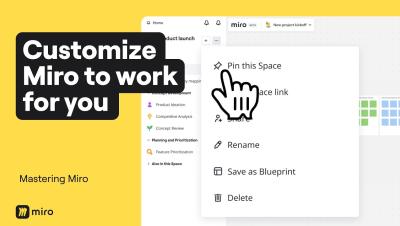
4 Levels of Miro Customization to Save Hours of Work

Most people use Miro as it comes out of the box, but power users know that customizing your workspace can save you hours every week. In this video, we walk through four levels of Miro customization, from quick toolbar tweaks to building AI workflows tailored to how your entire team thinks and works. By the end, you won't just have a faster Miro setup. You'll have an AI Innovation Workspace that captures your team's best practices, speaks your language, and gets smarter the more you use it.

Why Your Dashboard Is Lying and What Work Intelligence Actually Shows You

Most dashboards show data. Charts, numbers, percentages. But they don't show how work actually happens — or where your margins are quietly leaking. If you're leading an IT firm, agency, BPO, or field ops team, this video is for you. In this video, you'll see.

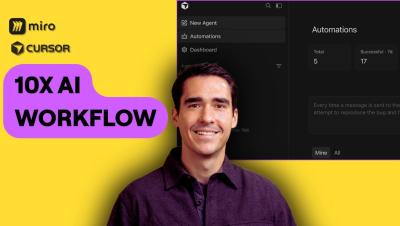
Use Cursor Automations platform with Miro MCP to uplevel your AI Workflows

In this video, Horea Porutiu (Developer Advocate at Miro) demonstrates how to leverage Cursor’s new Automation feature alongside the Miro MCP (Model Context Protocol) server. Watch as we build a custom automation that triggers from a Slack message to automatically generate documentation, comparison tables, and flowcharts directly on a Miro board. If you're looking to streamline the tedious parts of your engineering workflow and focus on creative problem-solving, this AI-driven integration is for you.