Teams | Collaboration | Customer Service | Project Management

The latest News and Information on Time Tracking, Timesheets and related technologies.

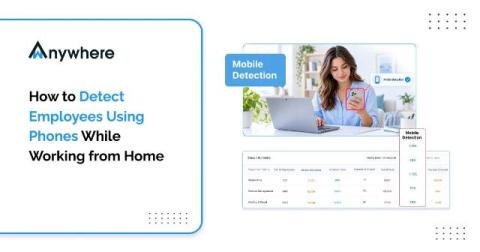
How to Detect Employees Using Phones While Working From Home

Personal phones are the biggest blind spot in remote work security because a phone camera bypasses every DLP, USB, and screenshot control. The most reliable answer to how to detect a mobile phone during work hours is AI mobile phone detection, which analyzes the webcam feed for phone-shaped objects, raises instant alerts, and logs evidence. Paired with a clear device policy, informed consent, and proportionate responses, it protects regulated data without turning remote work into surveillance.
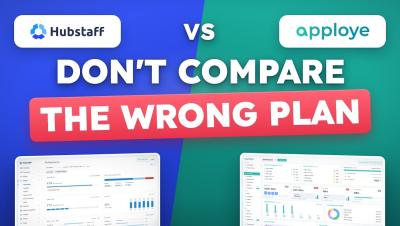
Hubstaff vs Apploye: 90% people choose wrong

For a 10-person team, Apploye costs $540 a year and Hubstaff Team costs $1,200. Count Apploye's free owner seat and Hubstaff's Insights add-on after its 90-day trial, and the gap is $1,014 a year. Here is Hubstaff vs Apploye side by side: pricing, the plan most people compare by mistake, daily use, and where Hubstaff is the better buy. Made by the Apploye team. We have tried to keep it fair: every Hubstaff price is from Hubstaff's own pricing page and support docs (linked below), and if you manage field teams that need GPS or geofencing, we tell you to buy Hubstaff.

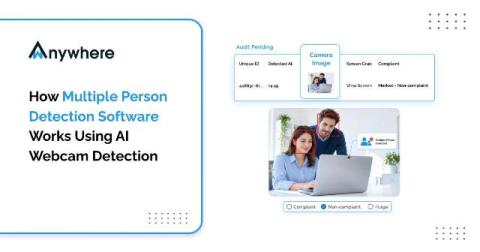
How Multiple Person Detection Software Works Using AI Webcam Detection

Multiple person detection software uses AI webcam analysis to count the people in front of a work screen and alert security teams when anyone other than the authorized user appears. It runs face and person detection on sampled frames, tracks faces over time, verifies the logged-in employee, and applies policy rules such as blurring the screen or locking the session.

Data Security In BPO And How To Stay Compliant With GDPR And HIPAA

BPOs meet GDPR and HIPAA by combining contract obligations with controls on every seat, namely verified identity, restricted access, protection against data leaving the device, and complete activity logs. Many of these controls satisfy both frameworks at once, which makes one well-designed security program far easier to run than two separate ones.

What Is An Audit Trail And Why BPO Clients Demand One

Quick answer An audit trail is a time-stamped record of who accessed which systems and data, what they did, and when and where they did it. BPO clients demand one because it is the only reliable way to prove their data was handled to contract, and because GDPR, HIPAA and PCI DSS all expect user activity to be logged and reviewable.

HIPAA And Remote Work, Protecting PHI At The Home Desk

A patient calls a healthcare support line at four in the afternoon. The agent who answers is working from a second bedroom, confirms the caller identity, opens the record and reads back a recent procedure and a prescription. The call is encrypted, the login was clean and the recording is retained exactly as the policy says. None of that addresses the person who walked into the room thirty seconds earlier and can see the screen.

Data Processing Agreements And What BPOs Must Sign And Enforce With Clients

A data processing agreement is the contract that sets out how a BPO may handle a client’s personal data, including instructions, security measures, sub-processors, breach support and audit rights. Signing it is only half the job. BPOs must also enforce every clause on every seat and be able to prove it.

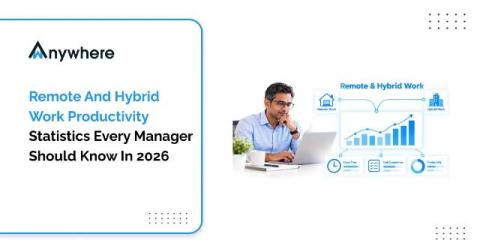
Remote And Hybrid Work Productivity Statistics Every Manager Should Know In 2026

Hybrid is now the most common arrangement for remote-capable employees, at 52% according to Gallup’s May 2026 data. Rigorous research, including a randomized trial published in Nature and industry analysis from the US Bureau of Labor Statistics, finds that remote and hybrid work does not reduce productivity on its own. The bigger risks for managers are trust gaps, uneven measurement and data security on remote seats.

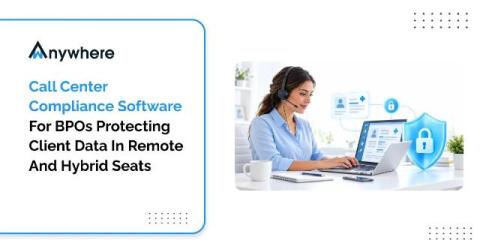
Call Center Compliance Software For BPOs Protecting Client Data In Remote And Hybrid Seats

A collections agent signs in from a bedroom in a shared flat at seven in the morning. The VPN connects, the client CRM opens and a screen full of cardholder records appears. For the next eight hours every system log will read as compliant. Not one of them will record that a flatmate walked behind the monitor twice, or that a phone sat propped against a water bottle with the camera pointed at the screen. That is the gap outsourced delivery now lives with.

What Employees Can Expect From Screen Monitoring Privacy

Screen monitoring privacy explains what employers can see, what data a monitoring tool collects, and when tracking happens. Most screen monitoring software can show app and website activity, active and idle time, and screenshots. This article explains what managers and employees can actually see with Flowace and how its privacy controls work. TL;DR.