


|
By wAnywhere
Quick answer An audit trail is a time-stamped record of who accessed which systems and data, what they did, and when and where they did it. BPO clients demand one because it is the only reliable way to prove their data was handled to contract, and because GDPR, HIPAA and PCI DSS all expect user activity to be logged and reviewable.

|
By wAnywhere
A patient calls a healthcare support line at four in the afternoon. The agent who answers is working from a second bedroom, confirms the caller identity, opens the record and reads back a recent procedure and a prescription. The call is encrypted, the login was clean and the recording is retained exactly as the policy says. None of that addresses the person who walked into the room thirty seconds earlier and can see the screen.

|
By wAnywhere
A collections agent signs in from a bedroom in a shared flat at seven in the morning. The VPN connects, the client CRM opens and a screen full of cardholder records appears. For the next eight hours every system log will read as compliant. Not one of them will record that a flatmate walked behind the monitor twice, or that a phone sat propped against a water bottle with the camera pointed at the screen. That is the gap outsourced delivery now lives with.

|
By wAnywhere
Most handbooks already have a phone rule in them. Walk any floor at two in the afternoon and you will see how much it is worth. Phones are face down beside keyboards, in laps, propped behind monitors, checked during the gap between one call ending and the next connecting. The rule is not being defied. It is being ignored, which is a different and more awkward problem.

|
By wAnywhere
Time tracking with screenshots pairs logged hours with periodic visual snapshots of a screen, and it earns adoption or resentment based entirely on implementation, not the technology itself. Companies use it to verify work, support client billing, close remote visibility gaps, and investigate exceptions, but a screenshot only shows what was visible at one moment, never actual productivity.

|
By wAnywhere
This article covers the following points. A support agent logs in at 9 a.m. with valid credentials, clears multi-factor authentication and opens a client’s billing system. An hour later the session is still active, and every system check still reads “authorized.” The person now sitting at the keyboard, however, is someone else. That is the gap most access controls were never designed to close. Authentication verifies a login.

|
By wAnywhere
This article covers the essentials in brief. An agent on a banking support queue copies a customer’s account number from the CRM and pastes it into a personal chat window to finish the ticket later. The action takes two seconds. Nothing was downloaded, no file was attached, and no USB drive was touched, yet the data has already left the system built to protect it. This is the gap copy paste detection software is designed to close. Copy-paste is one of the most routine actions in a BPO.

|
By wAnywhere
Manual timesheets look free but aren’t. The real cost hides in employee entry time, manager follow-ups, payroll corrections, missed billable hours, delayed approvals, and poor workforce visibility, costs that grow as headcount scales. Online timesheets doesn’t just digitize the spreadsheet; it removes the manual work sitting around it, and wAnywhere automates that entire process end to end.

|
By wAnywhere
Productivity numbers alone cannot tell you who an employee is, what team they are on, or why their numbers look the way they do. An HRIS integration platform connects HRIS employee data such as department, manager, role and employment status with workforce productivity data, turning raw metrics into reports managers can actually act on. It also cuts manual data entry errors, strengthens workforce planning, and lets reporting scale as headcount grows. This article covers the following.

|
By wAnywhere
Idle time measures the absence of keyboard and mouse input, not the absence of work. A dashboard counter may increase when a mouse stops moving, but it cannot distinguish between an employee who has stepped away and someone reading a contract, taking a client call, or thinking through a complex architecture decision before typing a single line.

|
By wAnywhere
Remote or office - Where employees are more productive? Let’s explore with wAnywhere monitoring tool. Once adopted to navigate work continuity challenges, remote work has now become an effective alternative to office work. Discover which of the work modes has an upper hand over the other.

|
By wAnywhere
Evaluate how employees perform in #remotework with wAnywhere #productivitymonitoringsoftware. Know how you can find out what activities they perform and what apps and websites they visit. Measure whether #employeeactions drive or disrupt their quality of work.
|
By wAnywhere
Identify how #compliant contact teams behave in #remotework with wAnywhere to ensure #dataprivacy. Know why the #employeemonitoringsoftware is a dependable solution to manage your distributed operating teams and maintain business operation security.
|
By wAnywhere
Capture #employeeactivities with no tracking sign with #StealthMode from wAnywhere #monitoringtool. Know how #employeesbehave and what actions they do in #remotework. Analyze captured #data and #screenshots with #employeemonitoringsoftware to evaluate how teams perform and if they follow #compliance with #businesspolicy and #dataprivacy.
|
By wAnywhere
Know how remote employees spend the day at work with #wAnywhere #timetrackingsoftware. Capture the time when they log into work, when they’re active, idle, or on break, and what their app and web usage are to measure productive and non-productive hours. Identify work inefficiencies and optime employee hours with the #timemanagementtool.
|
By wAnywhere
Know how wAnywhere #productivitymonitoringsoftware helps identify employee inefficiencies at work. Find out how your remote and hybrid teams work, whether they use frequent breaks or idle time and exceed them, and what non-productive apps and websites they visit. Get a clear picture of how your distributed teams spend the day at work with wAnywhere dashboard visualization.
|
By wAnywhere
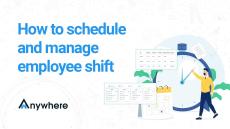
Schedule and #manageshifts for #employees working in different #locations and #timezones with wAnywhere #shiftmanagementsoftware. Work with global talents with confidence and measure their #workhours and #productivity by #schedulingshifts for them and evaluating #employeeperformance in #distributedwork.
|
By wAnywhere
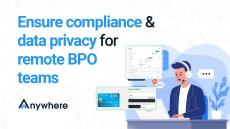
Know how wAnywhere #employeemonitoringsoftware ensures #security and #compliance for remote BPO teams. Measure how #BPO teams behave in #remotework and control their risky actions for #dataprivacy and compliant business operations.

|
By wAnywhere
Know how wAnywhere #employeemonitoringsoftware helps #balanceworkload to boost #employeewellness at the workplace and encourage timely breaks to avoid burnout. Allow #remoteteams a flexible virtual environment with wAnywhere WaterCooler feature to #collaborate casually and reset #productivity.
|
By wAnywhere
Engaged employees perform better and deliver more #productivework. Know how wAnywhere #employeemonitoringsoftware helps keep your employees focused at work to perform efficiently.
- October 2026 (5)
- September 2026 (9)
- August 2026 (6)
- July 2026 (9)
- June 2026 (6)
- May 2026 (4)
- April 2026 (3)
- March 2026 (2)
- February 2026 (3)
- January 2026 (2)
- July 2025 (2)
- June 2025 (8)
- May 2025 (15)
- April 2025 (11)
- March 2025 (2)
- February 2025 (4)
- January 2025 (1)
- July 2024 (1)
- June 2024 (7)
- May 2024 (7)
- April 2024 (3)
- March 2024 (3)
- February 2024 (1)
- January 2024 (5)
- December 2023 (6)
- November 2023 (4)
- October 2023 (2)
- September 2023 (1)
wAnywhere is a future-ready work-anywhere platform that empowers modern organizations to manage and monitor their workforce in distributed environments.
As a leading work anywhere solutions provider, wAnywhere remote employee monitoring software has revolutionized remote working for thousands of users in multiple large and small companies.
Why Choose wAnywhere:
- Holistic approach.
- AI-powered detections.
- Easy to configure and setup.
- Get your team to Work Anywhere in minutes.
- Reduce your work from anywhere cost significantly.
- Support all popular platforms – Mac, Windows and Linux.
- Inbuilt Collaborative Tools – wAnywhere Connect and support integrations with all popular tools.
Work From Anywhere. You Choose.