Teams | Collaboration | Customer Service | Project Management

OneDesk - Email to Ticket

Learn about the email flow in OneDesk and how to start capturing tickets from email. OneDesk combines Help Desk & Project Management software into a single application. OneDesk also includes customer-facing applications: real-time chat, customizable webforms, and a customer portal. These integrated applications allow you to serve your customers while conveniently working on your projects in one platform.
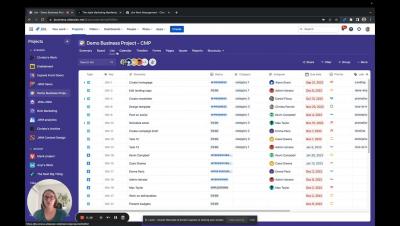

Jira Work Management Monthly Minute: November 2022 | Atlassian

Get the latest Jira Work Management updates in our Monthly Minute. Now you can drag and drop unscheduled tasks into the Calendar view and expand or collapse tasks in the List view. Plus, check out the Jira Work Management Chrome extension. Jira Work Management makes it easy for business teams to collaborate, align, and deliver work, all in one place.

Creating a cohesive employee experience after a merger with strong internal communications

Savvy organizations know that this process starts with keeping the lines of communication open. And this is a two-way street. Oftentimes, communication is a top-down process where employees aren’t comfortable asking questions. However, with the right internal communications and employee experience strategy in place post-merger, companies can create a space where employees feel seen and heard. And this keeps employee burnout at bay, frustrations low, and contributes to a cohesive company culture.

12 best collaboration tools for DevOps teams

DevOps is a mindset, a culture, and a set of techniques that product teams embrace to reduce the software development life cycle, improve collaboration and visibility. It accelerates time to market for new updates while also ensuring the top-notch quality of releases. DevOps involves the combination of software development (Dev) and IT Operations (Ops) personnel into cross-functional teams capable of building, running, and monitoring their product releases.

Grouping Information in M-Files | The Smarter Way To Work

In this video, we cover the different ways of grouping related information together in M-Files. There are multiple ways you can group and bundle information together, so that information is easier to find and understand. For instance, Views: Views allow you to save frequently used searches and define grouping levels. Does your M-Files look different? - This video features the latest M-Files user interface (released in November 2022). Please note that the lessons in this video still apply.

Creating Multifile Documents in M-Files | The Smarter Way To Work

This video shows you how you can convert a single file to a multi file in M-Files. A multi-file document is a single document with multiple subfile, with a single metadata card. The difference from a document collection is that all the files in the multi-file document are bundled together under a single metadata card. Does your M-Files look different? - This video features the latest M-Files user interface (released in November 2022). Please note that the lessons in this video still apply.

Creating Document Collections in M-Files | The Smarter Way To Work

This video demonstrates how you can group information by creating your own document collections in M-Files. A document collection is a set of interrelated documents. The difference from a multi-file document is that each member of a document collection is independent and has its own metadata. In addition, the document collection has a collective set of metadata that is independent of the member documents. By contrast, in a multi-file document, all document files share the document's properties.

Creating Relationships Between Objects in M-Files | The Smarter Way To Work

This video shows how you can build relationships between items in M-Files through metadata. Does your M-Files look different? - This video features the latest M-Files user interface (released in November 2022). Please note that the lessons in this video still apply. To upgrade to the new user interface, please consult your organization's M-Files Business admin to see about updating your M-Files application.

Social media project management: Strategies and processes to crush your content creation

Managing your brand’s presence across social media platforms is tough. But bringing successful social media strategies to fruition? That's even harder. Social media project managers have a difficult job, no doubt about that — but if you’re using the right workflows and strategies for content creation, you’ll be able to rule social networks with content that draws leads in droves.