Teams | Collaboration | Customer Service | Project Management

6 Miro Hacks That Make You Look Like a Pro

If you're still clicking the toolbar to select tools in Miro, you're slowing yourself down. In this third installment of our Miro Shortcuts series, we cover six hidden mechanics that let you bypass the menus entirely - from toggling comments in one keystroke to applying protected locks without touching a single right-click menu. These are the shortcuts that separate casual Miro users from the top 1%. Learn them once and you'll never reach for the toolbar the same way again.

Ship beautiful notifications across every channel | Courier Design Studio

A walkthrough of Design Studio, Courier's multi-channel notification designer. Build and manage notification content for email, SMS, push, inbox, Slack, and Microsoft Teams from a single editor. In this video, we cover: Drag-and-drop content blocks for building templates fast Channel-specific editing with one-click switching Full HTML mode for email with live preview Test sends with real variable data Version history with visual side-by-side comparison Design Studio is in public beta and available in your Courier workspace today.


IT asset management: Track and manage employee devices directly in Zendesk | What's New

Employee support issues often tie back to the devices people rely on every day. But asset details don’t always live where tickets do. IT asset management in Zendesk gives internal service teams a single place to track and manage employee devices alongside support tickets. Teams can view asset details like status, ownership, location, and related ticket history, helping agents resolve issues with more context and less back-and-forth. IT specialists and asset managers can even assign devices and manage inventory all within Zendesk.

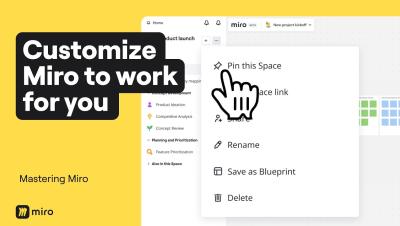
4 Levels of Miro Customization to Save Hours of Work

Most people use Miro as it comes out of the box, but power users know that customizing your workspace can save you hours every week. In this video, we walk through four levels of Miro customization, from quick toolbar tweaks to building AI workflows tailored to how your entire team thinks and works. By the end, you won't just have a faster Miro setup. You'll have an AI Innovation Workspace that captures your team's best practices, speaks your language, and gets smarter the more you use it.