Teams | Collaboration | Customer Service | Project Management

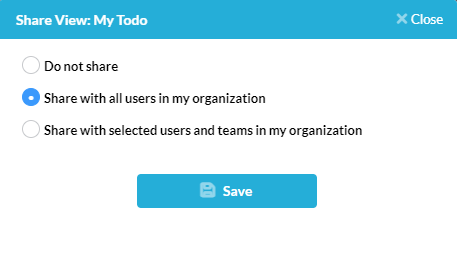
Manage & Customize Views in OneDesk

Views in OneDesk allow you to group and organize your data based on your specified criteria and within a variety of layouts and better overall plan and prioritize your work. For example, see a hierarchical view of unassigned tickets, assign tasks to users on a Kanban board, group projects by customer and much more. OneDesk’s robust customization options allow for a huge variety of possibilities to fit your company’s needs. Keep reading to learn more about managing views in OneDesk.

OneDesk - Messaging Centre and Automated Messages

The OneDesk messaging centre is where you can go to view your automated messages and edit what they say, enable/disable messages, view attached automations, and more. Learn the various features of the messaging centre in this video. OneDesk combines Help Desk & Project Management software into a single application. OneDesk also includes customer-facing applications: real-time chat, customizable webforms, and a customer portal. These integrated applications allow you to serve your customers while conveniently working on your projects in one platform.
OneDesk - Bot Responses and Settings

You can set up your company bot in OneDesk to have a different name, logo, and greeter display, as well as send out messaged automatically through workflow automations. Learn how to access and change these settings in this video. OneDesk combines Help Desk & Project Management software into a single application. OneDesk also includes customer-facing applications: real-time chat, customizable webforms, and a customer portal. These integrated applications allow you to serve your customers while conveniently working on your projects in one platform.
OneDesk - Getting Started with Automations

Workflow automations are a powerful tool inside OneDesk. Learn how to access automations for your tickets and tasks, as well as examples of what can be done with automations in this video. OneDesk combines Help Desk & Project Management software into a single application. OneDesk also includes customer-facing applications: real-time chat, customizable webforms, and a customer portal. These integrated applications allow you to serve your customers while conveniently working on your projects in one platform.
Multiple Services on a Single OneDesk Account

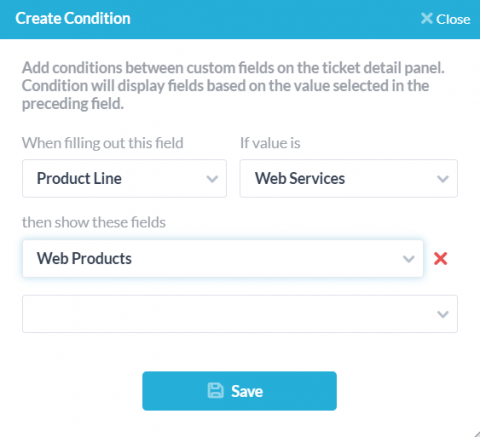
If your company manages multiple services, brands, or a variety of departments each with different workflows, branding or websites, it is important to be sure your clients are receiving properly tailored support. On the other hand, you’ll want your agents to have centralized communication and a streamlined workflow to manage tickets and tasks, even across brands. Luckily, OneDesk’s robust customization options allow companies of all kinds to to set up their apps to best fit their needs.

OneDesk - Auto Routing

Auto routing can be achieved easily and efficiently with OneDesk's workflow automations. Learn how to automatically assign incoming tickets by round-robin, as well as how to route tickets received from a specific customer in this video. OneDesk combines Help Desk & Project Management software into a single application. OneDesk also includes customer-facing applications: real-time chat, customizable webforms, and a customer portal. These integrated applications allow you to serve your customers while conveniently working on your projects in one platform.
OneDesk - Saved Replies and Automating Replies

Saved replies are a powerful tool available for your use in OneDesk. Learn how to create and use a saved reply, as well as how to attach saved replies to workflow automations in this video. OneDesk combines Help Desk & Project Management software into a single application. OneDesk also includes customer-facing applications: real-time chat, customizable webforms, and a customer portal. These integrated applications allow you to serve your customers while conveniently working on your projects in one platform.
OneDesk - Understanding Gantt Charts and Smart Scheduling

Learn how to access and understand the Gantt layout in OneDesk, as well as the smart scheduling tool, in this video. OneDesk combines Help Desk & Project Management software into a single application. OneDesk also includes customer-facing applications: real-time chat, customizable webforms, and a customer portal. These integrated applications allow you to serve your customers while conveniently working on your projects in one platform.
Manage your Costs and Billing with OneDesk

Budget monitoring is a key aspect to successful project management. The new financials app in OneDesk allows you to easily estimate, forecast and monitor your company’s budget. Regardless of the size of your team, or how you bill your customers, the financials app offers flexibility to set costs and keep track of your company’s finances in real time.