What's New? OneDesk September 2022
The latest update of OneDesk is live and includes the following new features and enhancements.
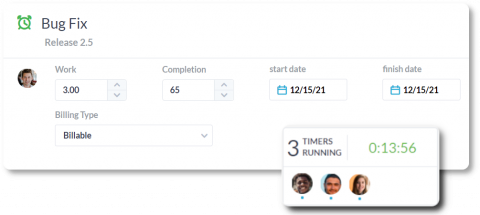
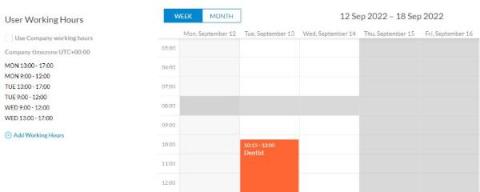
Time tracking refers to how businesses record time spent on work tasks and projects. Utilizing time tracking enables businesses to track progress on tasks, monitor productivity, and accurately compensate employees or bill clients. Commonly, businesses use work management software in order to fulfill their time tracking needs.
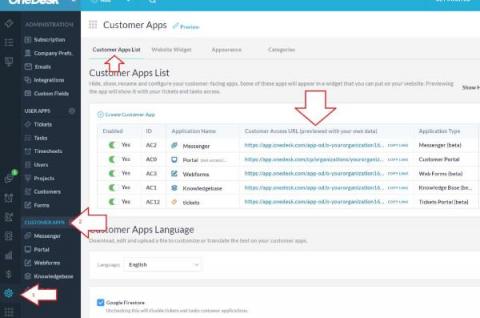
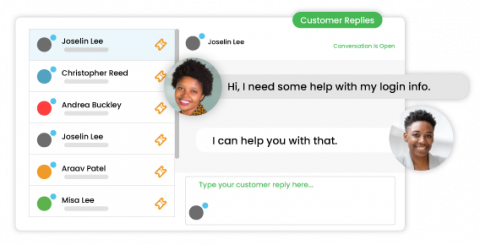
OneDesk includes multiple customer-facing apps that you can use to enable communication with your customers. The apps include the web widget, messenger, portal, knowledgebase and webforms. Each app provides channels for customers, clients, or end-users to receive support or collaborate with your team. The web widget is an icon displayed on your site which allows easy access to the other apps. The messenger is a live chat application between your agents and customers.
Looking for the right help desk software for your small business? Small business help desk software is designed to meet the service needs of small teams. The right solution allows your team to centralize your support channels, organize tickets, prioritize issues, and overall delight your customers. This article covers some considerations to make when choosing a help desk solution and why OneDesk fits the needs of your small business.
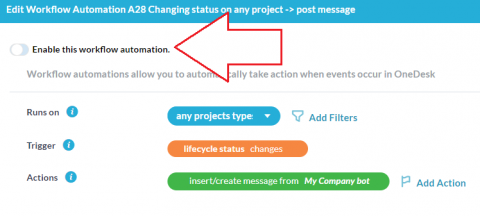
OneDesk provides the ability to send messages and emails through automations. Email templates can be set up to send emails to customers or users and can be helpful for updating everyone on progress or changes. There are also system emails, particularly important emails sent from your account and cannot be configured through automations. You can read an in-depth explanation of these emails and messages: Notifications & Emails. So why would you want to prevent all emails or notifications?
A bug tracking tool allows testing and development teams to record and track bugs in their software. Log, track, and monitor bugs, automate processes, and communicate with your team and customers with OneDesk’s robust set of features.
In OneDesk, your items exist in a structured manner. You can have: Portfolios (and sub-portfolios), Projects, and Folders. That order is basically the hierarchy from top to bottom. In other words, folders exist in projects and projects inside of portfolios (though projects can be independent also). Check out our related articles for more details on work structure. In this article I want to talk about folders and a helpful feature called “move to folder.”