What's New? OneDesk Release December 2022
OneDesk’s latest release is here! The December new features and enhancements.
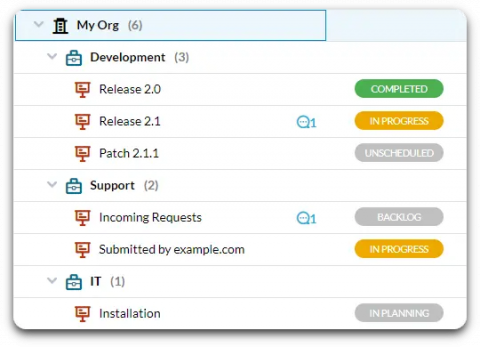
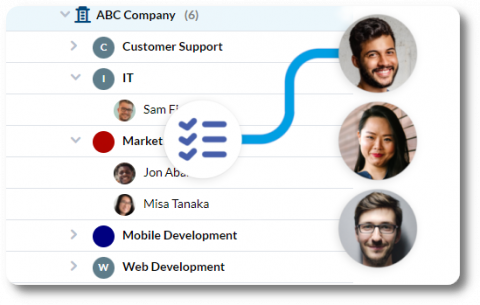
It is a common use case for multiple departments in an organization to want to work in a single OneDesk account, yet do not want to see the other departments’ tickets. For instance, the IT department and HR department may not want to see each other’s tickets either for privacy reasons or because they do not want to be bogged down by irrelevant work items. OneDesk has flexible tools to organize tickets as well as automatically route tickets to the right agents.
Automations are rules you can set-up in your help desk system which perform actions on behalf of your team. Help desk automations are a necessary feature of a help desk system. They cut down on work, allowing your employees to focus on achieving more meaningful goals. Automations in OneDesk are particularly powerful, as they provide a method to manage moving parts, enable organization, and create an optimized workflow.
Workload management involves getting a clear picture of who is available and when, in order to utilize your team’s full capacity and exceed goals. In OneDesk there are multiple ways to manage your team’s workload. You can determine how many tasks are assigned to someone, how much time they have available in a given period, the actual time or progress logged to work, and more.
In OneDesk, your resource management tools, such as the workload view, make use of the user’s availability. User availability is calculated based on their working hours and the amount of work assigned to them. The user calendar is a view that is available for each user of your organization. The user calendar allows you to set a user’s individual working hours, create vacation events, and view an individual’s planned and actual work.
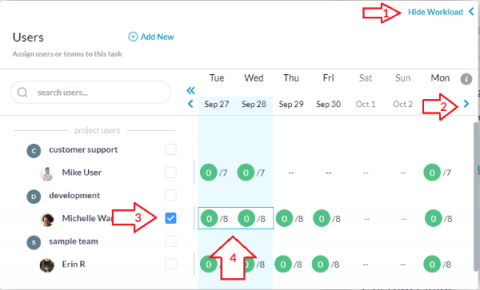
Workload view is a ‘system view’ available in the Tasks and Tickets applications. The workload view is a resource availability tool to help you visualize the work each team member is assigned to during a selected time period.