Teams | Collaboration | Customer Service | Project Management

How to Build a Customer Experience Strategy: 5 Best Practices + Examples

There are many moving parts in play when trying to explain, let alone execute, an exceptional customer experience. It truly takes a village and a good customer experience strategy to get things done effectively. Staying on top of your CX strategy is vital as customer behavior and digital channels of engagement continue to change how business is done. But it’s easy to be overwhelmed even before you get started.

Introduction to M-Files Advanced Outlook Add-In | The Smarter Way To Work

The M-Files Advanced Outlook add-in integrates M-Files and Outlook seamlessly, allowing you to file business critical conversations and documents into M-Files effortlessly, and thus, ensuring that information doesn't get lost in the sea of emails and inboxes. The Integration offers email management, document collaboration, version control, search capabilities, automatic filing, and integration with other applications for a more integrated and streamlined workflow.

Mastering Your Time: Boost Productivity and Efficiency with Workstatus Time Tracking

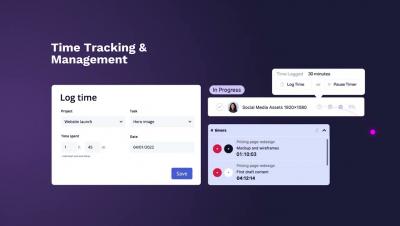
Are you tired of wasting time and money on inefficient work processes? Discover how time tracking with Workstatus can help you optimize your workflow and maximize your team's productivity. Watch this video to learn more about the benefits of time tracking and how to get started with Workstatus. Please like, comment, and share this video.

AI Improving Workplace Decision-Making & Productivity | Workstatus

Are you looking for ways to improve decision-making and increase productivity in your workplace? Look no further than Workstatus, the AI-powered tool that is revolutionizing the way you work. Workstatus is an AI-powered tool that revolutionizes workplace decision-making and productivity. With real-time tracking of employee progress, personalized productivity insights, centralized communication, and data-driven insights for managers, Workstatus is a powerful tool for improving efficiency and making informed decisions.

How to make the most of distributed product planning

Whether you call it program increment (PI) planning, quarterly planning for product teams, or even big room planning, the reality is the same: These sessions are complex undertakings, even more so in our current hybrid reality. Every 8-12 weeks, dozens, hundreds, or — in some cases — thousands of product team members meet to to align on a shared vision, pinpoint cross-team dependencies, discuss features, and, ultimately, plan their product roadmap.

Understanding the Escalation Rate KPI to Improve Ticket Management

A ticket has its own lifecycle, and understanding each stage is crucial to providing top-notch customer support. One of the most critical help desk metrics is the Escalation Rate. This Key Performance Indicator (KPI) reflects the percentage of tickets that require the intervention of a higher-level support team. Understanding how this KPI works can help identify gaps in the support process, improve team efficiency, and increase customer satisfaction.

Streamline Your Success: 13 Essential Organizational Tools for Maximum Efficiency

Organizational tools have become essential tools for all types of industries. They are capacitated to become your virtual assistant and sort all the tasks ranging from trivial to critical. The accentuating fact is the quality of your employed organizational tool will determine the efficiency of your organization.

Relay Bot Demo | Accelerator Apps | Slack

Deliver personalized messaging at scale within Slack using our Relay Bot. Team members need to deliver targeted information to multiple channels/people at once. Without an automated delivery system this task is either too large to accomplish resulting in missed opportunities or tedious and time-consuming impacting productivity and reducing resources.

Incident Bot Demo | Accelerator Apps | Slack

Reduce incident time-to-resolution by automatically alerting and connecting responders, subject-matter experts and impacted parties. With Incident Bot, you can assign user groups and product specialists to act for a given customer support issue. Individual users and customers (or automated alerts) can submit issue reports for admin review to kick off the resolution process. Share reports across multiple org units and workspaces.