Teams | Collaboration | Customer Service | Project Management

Employee Monitoring Software for Efficient Teams - Workstatus

Workstatus is giving you many reasons to make it an integral part of your day to day management. Workstatus is a full-featured #employeemonitoringsoftware that helps business owners and team leaders to monitor the activities and optimize the productivity of employees. Here is a list of a few Workstatus features, you can utilize to have a detailed insight of your employee billable time - Watch the complete video to know more about employee tracking software.

New to Confluence Cloud | Atlassian Migrations

This video shows you what you need to know about Confluence Cloud if you have been using Confluence Data Center or Server. You’ll learn the newest features only available in Cloud and how you can get your work done faster and more beautifully, in Confluence Cloud. To learn more about the migration process or how Cloud differs from Server or Data Center, visit the migrations hub.

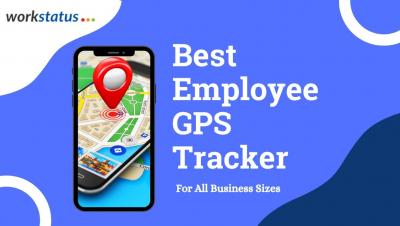
Employee GPS Tracking - Workstatus

Workstatus’ #GPSTimeClock app makes it easy to keep track of your field employees' as well office employees on the road or on-site during their working hours. As easy as 1-2-3, with simply logging in from the mobile device, allowing employees to clock in for attendance and tracking starts with real-time updates on their whereabouts. With its sophisticated location monitoring, Workstatus will always keep you informed where your employees are and give you insight into how well they are utilizing their productive time towards meeting the goals.

Project and Task Management | Award winning Employee Monitoring Software | We360.ai

Create and track multiple projects You no longer need multiple systems to manage projects and track progress. With 360.ai's robust project management feature, you can create tasks, assign them to the team, and follow the progress with the dashboard and reports.

Automation Delivers Results

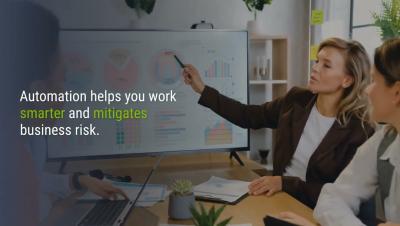
Let’s take a look at Automation. Automation reduces workload, improves efficiency, and decreases costs. With the right service management solution like Vivantio, you can manage complex workflows and automate recurring processes within your business, removing the need for manual resources. Many tasks can be automated, from finance and HR management to project management, team collaboration and reporting. Watch the video to learn more.

OneDesk - Saved Replies and Automating Replies

Saved replies are a powerful tool available for your use in OneDesk. Learn how to create and use a saved reply, as well as how to attach saved replies to workflow automations in this video. OneDesk combines Help Desk & Project Management software into a single application. OneDesk also includes customer-facing applications: real-time chat, customizable webforms, and a customer portal. These integrated applications allow you to serve your customers while conveniently working on your projects in one platform.

OneDesk - Understanding Gantt Charts and Smart Scheduling

Learn how to access and understand the Gantt layout in OneDesk, as well as the smart scheduling tool, in this video. OneDesk combines Help Desk & Project Management software into a single application. OneDesk also includes customer-facing applications: real-time chat, customizable webforms, and a customer portal. These integrated applications allow you to serve your customers while conveniently working on your projects in one platform.

Jira Service Management Chatbot - FREE

Enhance yourJira Service Managemen experience with Slack or Microsoft Teams chatbot and app workflow automation, from Workativ. For Jira Service Managemen users and organizations using Slack or Microsoft Teams, Workativ enables you to deliver an AI-powered contextual chatbot with app workflow automation, to enable 24/7 conversational self-service for your employee support.

Screenshots | Award winning Employee Monitoring Software | We360.ai

The fixed-interval screenshot feature helps to bring more transparency Employees need to ensure high productivity during work hours, whether it's work from home or work from the office. The screenshot feature enables you to check what exactly your team is doing at different intervals of time. It's a great feature to discover why your team's productivity is not up to the mark and why they miss out on the project deadline?