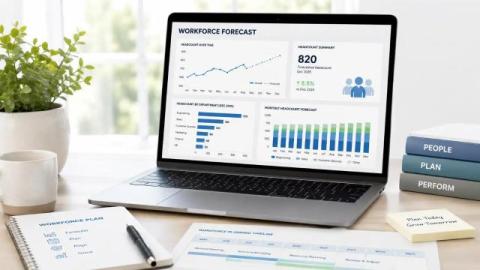
Build a fair, structured hybrid policy with real data. See how to decide who works where, set office frequency, and track results. Download our Hybrid Work Po.
In the evolving landscape of project management tools, teams often find themselves at a crossroads: choosing between the simplicity of Trello's digital sticky notes and the orchestrated work management offered by Asana. This guide aims to provide a comprehensive comparison, helping SMBs, growing teams, and technical leaders make an informed decision.
Workplace productivity is often treated as an individual responsibility. We tend to believe that a team’s output depends on how motivated, focused, and “energized” each employee shows up to work on a given day. In this view, productivity is something people bring with them. But what if productivity is not primarily an individual trait? What if it is shaped by the environment employees work in, rather than by personal effort alone?
HR decisions made on instinct are expensive. A wrong hire strains budgets. Poor workforce planning leads to burnout. Ignoring early signs of disengagement quietly fuels attrition. This is why modern HR teams are turning to employee analytics to replace guesswork with data-backed clarity. By analyzing workforce trends across hiring, performance, productivity, engagement, and absenteeism, you can anticipate problems before they escalate and build a workforce that’s both resilient and high-performing.
In this blog article, hear from Adam Higa, Growth PM at Asana. I’m a Growth PM at Asana, and yes — I use Asana to build features for Asana. Very meta, I know. But being both a user and builder gives me a unique perspective on what works. I’ve developed a system with Asana that keeps me focused on outcomes, not just shipping features. Given it’s January, I wanted to share three tips for how I approach roadmapping and OKR planning in Asana.
Learn how to set and scale communication norms for hybrid teams with clear steps and real data. Download the Hybrid Work Policy Playbook or start a free trial.
Microsoft Copilot is often marketed as AI included with Microsoft, suggesting a simple, predictable add-on to Microsoft 365. In reality, Copilot pricing is layered, conditional, and easy to underestimate. What starts as a per-user cost quickly escalates into eligibility requirements, additional licenses, usage-based capacity limits, and data-readiness dependencies that are not always clear upfront.
IT leaders today face a paradox: AI budgets are climbing while employee satisfaction with workplace technology remains flat, or even declines. The problem isn't a lack of innovation. It’s fragmentation.
In the business world, every financial investment a company makes must be justified. When faced with the question of whether or not to adopt a timesheet program, the real issue isn’t easily palatable at all – will it make me more than it costs?” The direct answer to this question is certainly “yes,” but the real issue here is gaining a true and comprehensive understanding of what it really means to get an accurate read on your RoI.
Digital transformation is already happening every day. Banks, financial institutions, and insurance companies are under pressure to move faster. Customers expect instant responses. Teams expect smooth collaboration. Regulators expect strong data protection. So, how can BFSI organizations keep up? One important part of this transformation is how people communicate. Emails and unsecured chat apps are no longer enough. They are slow. They are risky. And they often fail to meet compliance standards.