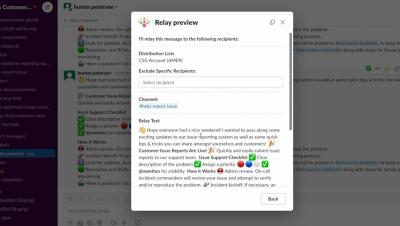
Deliver personalized messaging at scale within Slack using our Relay Bot. Team members need to deliver targeted information to multiple channels/people at once. Without an automated delivery system this task is either too large to accomplish resulting in missed opportunities or tedious and time-consuming impacting productivity and reducing resources.
3 tips on how to use Slack to build team camaraderie and bonding by creating social and interest channels for your business, use tools like huddles in the right away to respect people's times, recognizing others how they like and using custom emojis to strengthen your culture. ABOUT SLACK: Slack is a productivity platform for business that connects people to the information they need. By bringing people together to work as one unified team, Slack transforms the way organizations communicate.
App Surfaces within Slack are locations where an app can express itself through communication or interaction. In this video we’ll cover two of these surfaces: the App Home and Modals. By the end of the video you'll know what to use them for, and which API methods are meant for each case.
Here are 3 hacks from the Slack team on how you can improve your work transparency by organizing your team’s info so it’s easier to find, combining canvases with everything you already love from Slack so you don’t need to change how you work and keeping everyone on the same page so you can move work forward, faster. SECTIONS: ABOUT SLACK: Slack is a messaging app for business that connects people to the information they need. By bringing people together to work as one unified team, Slack transforms the way organizations communicate.
Say hello to the future of work, one where the magic of generative AI reimagines how we get things done. From helping you focus on what to do next, instantly summarizing channels and threads, and even closing deals for sales teams, AI in Slack moves work forward faster and drives productivity in a whole new way.