Teams | Collaboration | Customer Service | Project Management

Whiteboarding in Google Workspace

We know the best work happens when collaboration across teams runs smoothly. At Miro, we always look for opportunities to connect our work and fuel innovation to bring you the best whiteboard experience you can have, so you, too, can do your best work. That’s why we’ve partnered with Google Workspace extending existing capabilities within Google Calendar, creating seamless workflows within Google Meet, and supporting deeper integrations with Google Drive, Docs, Sheets, and Slides.

How to level up your customer-centric marketing strategy with 3 templates

Customer-centric marketers are laser-focused on the customer experience. This strategic approach challenges marketing teams to better understand customers so they can offer value at every interaction based on customer needs and interests. Teams who adhere to this approach often invest a lot of time and energy understanding the psyche of the customers who matter to them most.

Introducing the Miro Professional Network

Whether you’re a freelancer, consultant, or small agency, chances are, the way you meet and collaborate with clients has changed a lot over the past year. And with remote, hybrid, and distributed work environments here to stay, Miro’s collaborative online whiteboard offers a more flexible, future-proof solution for getting things done seamlessly—in-person or across the globe.

Elevating team collaboration with Miro and Google Workspace

Imagine a typical day at work that starts with checking Google Calendar to prepare for where you need to be and when. With engaging discussions, your teams create Google Docs to take notes on the important decisions coming out of the meetings and begin writing briefs to kick off your company’s next big project. Then you turn to Sheets to track the KPIs and leverage Slides to prepare the final presentation for your executive leadership by 4pm that day.

What is an organizational chart and how do you make one?

If you’ve heard someone in your company reference an “org chart” and were left scratching your head, you’re not alone. It’s a common shortening of the term “organizational chart,” which was coined by engineer Willard C. Brinton in the early 20th century. What is an organizational chart? A visual diagram showing the relationships between people and departments inside an organization.

Introducing the Miro app for Zoom

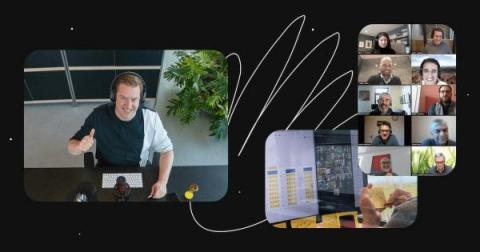
As we all adjusted to new ways of working over the past year, products like Miro and Zoom helped us stay connected and come as close as we could to meeting face-to-face. Today, we’re excited to announce another major step toward our vision of empowering teams to foster human connection, collaborate effortlessly, and maintain creativity, regardless of where teammates are located, with the new Miro app for Zoom.

What is a swimlane diagram and how do you make one?

You’ve probably heard the old sentiment about “too many cooks in the kitchen.” Or, maybe you’ve experienced it yourself. In many cases, it can be true — too many hands working all at once can feel like chaos. But here’s the thing: When you have a clear handle on who’s doing what, extra cooks can actually lead to peak efficiency and superior quality. Fortunately, a swimlane diagram can help you get a clear handle on everybody’s responsibilities.

Enable SaaS management within Miro

Since more and more organizations have embraced a plethora of SaaS applications to enable them to continue working asynchronously across regions and timezones, they are facing an increasingly large portfolio of SaaS products they must manage. There is a need for a single orchestration point for visibility and control in order to maintain governance across their organization of these SaaS products.

How ACE incubator uses Miro to power startups

ACE is a university business incubator owned by four academic institutions in Amsterdam. ACE supports early-stage businesses within science and technology founded by students, graduates, professors, and academics from these affiliated institutions. The goal is to solidify their business case, validate all the assumptions, get introduced to the relevant network, and start growing their business.

3 digital tools every design consultant needs in the new normal

Technology’s role in the way we work moved into hyperdrive during the pandemic. With people working from home and customers spending more time on devices, digital transformation arrived sooner than expected. Companies are finding creative digital tools to be productive, and this trend will continue even as people return to the office. So how can design consultants use these tools to best communicate and collaborate with their clients?