Teams | Collaboration | Customer Service | Project Management

101 Productivity Quotes to Keep You Inspired at Work

Being productive at work means getting more things done in less time. One of the best productivity motivators is inspiration, but it’s not easy to get inspired while working from an office or even from home. That’s when productivity quotes come into play. We’ve picked 101 motivational quotes that we hope will inspire and motivate you to accomplish more. But remember, no single quote will help you overcome unproductivity overnight.
OneDesk - QuickBooks Online Integration

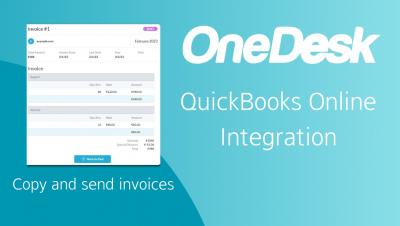
Connect your OneDesk to QuickBooks Online! Easily copy over or send OneDesk invoices to QuickBooks Online. OneDesk combines Help Desk & Project Management software into a single application. OneDesk also includes customer-facing applications: real-time chat, customizable webforms, and a customer portal. These integrated applications allow you to serve your customers while conveniently working on your projects in one platform.

Comprehensive Comparison of Smartsheet vs Monday & nTask for Project Management

Organizing projects, creating effective task management systems, and streamlining collaboration processes can seem like an impossible feat. Fortunately, you don’t have to manage it all yourself! Several great project management tools can help you keep your projects on track. In this blog post, we’ll be exploring two powerful options – Monday vs Smartsheet – as well as a newer platform called nTask.

Comparing Hive Vs ClickUp and nTask: Which Tool Is Best for Your Business?

Welcome to the ultimate task management showdown! It’s time to explore the pros and cons of two popular task management tools: Hive vs ClickUp. Over the course of this blog post, we will be comparing ClickUp and Hive side by side to determine which one is the best for your project needs. We’ll also cover nTask, a third tool that can offer a different approach to task management. We’ll start with ClickUp and Hive, beginning with their features and pricing.

How to Implement Omnichannel Customer Support? Benefits, Tips, and Best Practices

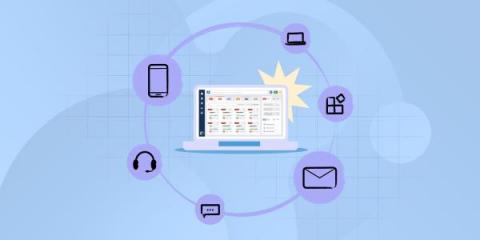
The customer support landscape is ever-changing and expanding, increasing both users’ expectations and challenges for IT teams. In this context, offering omnichannel customer support is not an option anymore. Users expect to be able to contact the help desk through the channel that’s most convenient to them, and support teams must try their best to provide a multiplicity of platforms to submit requests while attending to all of them in an efficient way.

5 Reasons To Offer Multiple Messaging Channels

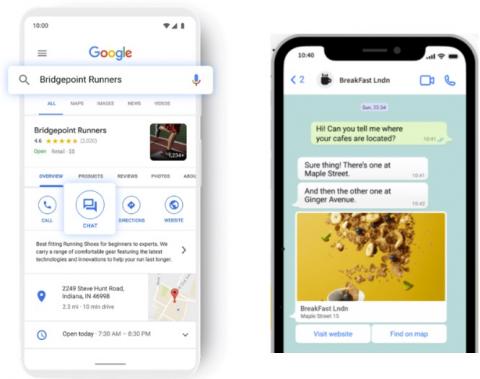
In today’s fast-paced and digital world, messaging has become an increasingly popular form of communication for customers. It is important for companies to adapt to their customers' preferences in order to provide the highest levels of satisfaction, gain more customers, and provide the best customer experiences. That’s why we’re excited to announce the addition of two new messaging channels to our live chat software: WhatsApp and Google Business Messages.

Offline Mode in M-Files | The Smarter Way To Work

This video describes how you can make content available offline, how editing documents works in the offline mode, and what happens when you go back online. You can start using M-Files without a network connection by clicking your username in the top-right corner of the user interface and selecting "Go Offline" from the context menu. You will then have access to the Offline view, which shows all the objects that have been made available offline. In other words, the documents and objects in this view can be accessed even when a connection to M-Files Server is unavailable.