Teams | Collaboration | Customer Service | Project Management

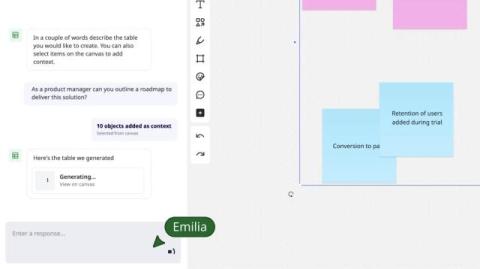
Transform your collaboration and context into the prompt with Create with AI

Create with AI understands your teamwork on the canvas. So instead of switching between tools and copying over critical context to create great prompts, you get ahead in one place with a smart collaborator that’s already thinking what you’re thinking.


See What Miro AI Can Do in Seconds!

Learn how to supercharge your workflow with Miro AI in this comprehensive tutorial! Discover how to generate documents, images, sticky notes, tables, diagrams, and prototypes using AI prompts. We'll show you advanced techniques like incorporating board content as context, refining outputs, and using selected objects to trigger smart suggestions. Perfect for teams, designers, and anyone looking to boost productivity with AI-powered collaboration tools. Master Miro's newest AI features and transform how you brainstorm, plan, and create visual content.

How to Remove Image Backgrounds with Miro AI

You probably didn't know Miro could do this! Hidden within Miro's AI toolkit is a powerful background removal feature that works like magic. No more switching between apps or struggling with complex photo editing software - Miro AI handles it all in one click. TIMESTAMPS: This feature is perfect for creating professional presentations, cleaning up brainstorming boards, or preparing images for design work. The best part? Your edited image is automatically saved as a transparent PNG, ready to use in any project or download for external use.

How Brainwriting Makes Team Ideas Even Better!

Learn how to facilitate powerful brainwriting sessions in Miro that generate more diverse ideas than traditional brainstorming. Perfect for teams who want everyone to contribute equally! Brainwriting creates space for quieter team members to contribute and prevents meetings from being dominated by the loudest voices. Watch how ideas evolve as team members build on each other's thinking! TIMESTAMPS.

How I Use Miro to Plan Product Strategy

Planning product strategy can be messy, but it doesn’t have to be. At Miro, we use our own platform to turn complex strategy planning into a clear, collaborative process that keeps teams aligned and focused. From surfacing leadership asks to defining measurable outcomes and visualizing roadmaps, everything lives in one place so we can move fast without losing the big picture.

Three steps for successful tech stack reviews

Leading IT organizations recognize that competitive advantage comes not from having more tools, but from having the right tools working in harmony. Follow these criteria for assessing what’s working and where to optimize. First, security. This isn’t about finding the most locked-down tools—it’s about identifying platforms that enable secure collaboration at scale. Second, simplicity.

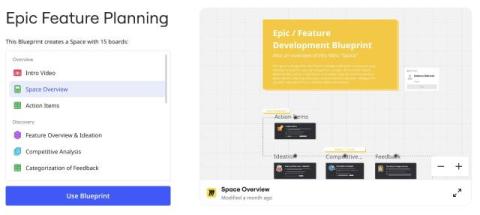
How I built the Epic Feature Planning Blueprint

We’ve already taken you Behind the Canvas to meet the people responsible for some of Miro’s best-loved features, like Slides, Diagramming, and Tables & Timelines. But this time we’re doing something a little different. You might have noticed that we recently launched Blueprints, a powerful new format that helps teams get up and running faster on projects that don’t need to start with a blank canvas.