Teams | Collaboration | Customer Service | Project Management

Canvas 26: Teamwork AI-mplified

Join us for Canvas 26 — Miro's global event on collaborative AI for teams and leaders. AI makes everyone a builder. But building the right thing? That takes teams working together. At Canvas 26, learn from the organizations already bringing teams and AI together to solve complex problems — and leave with scalable workflows, actionable strategies, and the insights that actually change how work gets done.

Miro Flip Cards Tutorial - Create Interactive Reveals in Seconds

Static content loses audiences. Flip Cards in Miro turn presentations, workshops, and retrospectives into interactive experiences where participants engage instead of just watching. In this video, we show you how to add and customize Flip Cards, and walk through creative use cases from team icebreakers and retros to stakeholder feature reveals and learning materials. One click. One reveal. Way more engagement.

I Let an AI Audit My Product. It Found 33 Bugs.

33 design bugs. One AI prompt. Zero user tests. In this video, Mathias Davidsen: GM of Prototypes at Miro, walks through three AI workflows changing how products get built, validated, and shipped. Whether you're a product manager, designer, or engineer, this is how AI is starting to replace weeks of prototyping work in a single afternoon, without breaking your design system or losing user context. What's the worst usability bug an AI has caught in something you shipped? Drop it in the comments, we read every one.

Collaborative Coding Just Got Easier | Miro Code Blocks

Engineering teams can now add code directly to Miro boards. In this video, we show you how to place a Code Block, choose from over 18 supported programming languages for proper syntax highlighting, toggle line numbers, and adjust font size for presentations and collaborative sessions. Code and context. One canvas. No switching tools. Subscribe for more Miro tutorials for engineering teams.

How to Use Miro and Atlassian Claude Connectors to Automate Jira Tasks

In this tutorial, I show you how to leverage Claude connectors, which use MCP (Model context protocol) to instantly turn Miro action items into Jira tasks. This helps you eliminate manual data entry and focus on prioritization and strategy. By connecting Claude to the Miro Connector and the Atlassian Rovo Connector, you can automate sprint planning and retrospectives with a single AI prompt. Key Topics Covered.

The Miro AI Playground Template That Makes Stakeholders Say Yes

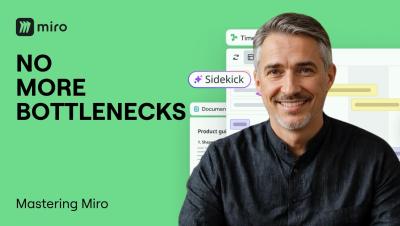
Chaotic brainstorms rarely produce stakeholder-ready concepts. The AI Playground template in Miro changes that. In this video, we walk through the full four-step workflow: brainstorming product ideas with a Sidekick, picking your favorite concept as a team, running a Flow to generate a complete concept package, and refining outputs for stakeholder review, all on one canvas without switching tools. What normally takes days takes minutes.

Custom Fonts in Miro? Here's How

Want boards that actually look on-brand? In this video, we show you how to change fonts across your entire Miro board in seconds, and how Company and Team Admins can upload custom brand fonts to the Brand Center so every team member works with the right typography from day one. Better fonts. Better boards. Zero inconsistency. Subscribe for more Miro customization tips.