What workflow management software does, the categories buyers confuse, and the questions separating a tool that runs work from one that shows how it ran.
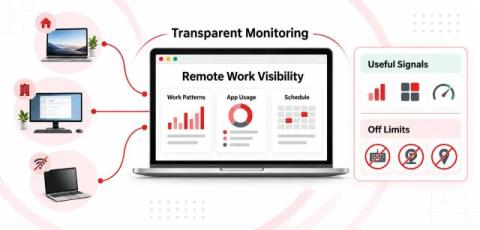
Managing a remote team is easy when everyone is sitting in the same office. You can walk around, check in with people, and get a general sense of how work is moving. But remote work is different. Someone can be online all day without getting much meaningful work done. At the same time, someone else might spend hours in meetings, research, design software, or other work that doesn't necessarily produce a lot of keyboard or mouse activity.
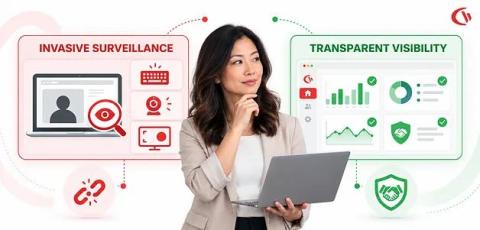
One remote worker might spend 3 productive hours working non-stop without ever touching their keyboard, while another might trigger hundreds of thousands of mouse movements with no meaningful output; that is the problem with monitoring remote work through surveillance: activity and productivity are not always synonymous.
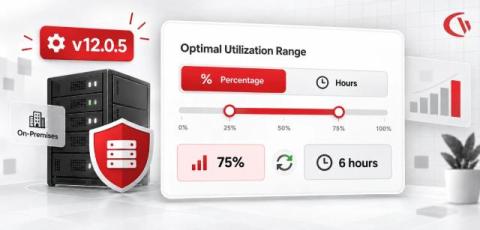
As part of our ongoing updates & enhancements, we have introduced a more flexible way for you to configure your utilization rate targets. Managers can now choose whether to set and view utilization rate targets as a percentage or by hour, making it easier to align utilization goals with how their teams measure and benchmark productive work.
In 2026, as hybrid and remote work continue to affect the modern workplace, small and mid-sized businesses (SMBs) are once again considering how to manage and keep track of their dispersed workforces. The Gallup 2026 Hybrid Work Indicator shows that 78% of U.S. employees in jobs that allow them to work from home either work in a hybrid arrangement (52%) or are entirely remote (26%), with flexible work having become the main working model for roles in the knowledge sector.
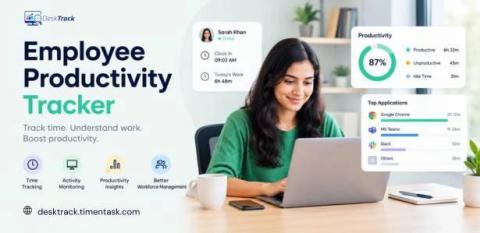
An employee productivity tracker is software that logs work hours, active time, and app usage giving managers real data instead of assumptions about performance.
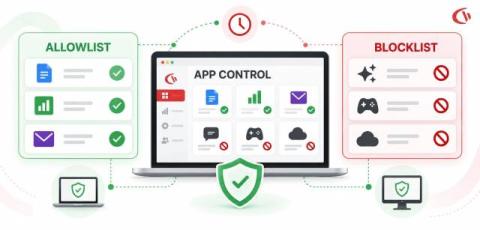
What if the greatest security threat is not a virus, but an application an employee has been given permission to install without the IT team’s knowledge? From AI assistants and cloud storage to instant messaging, project management, and browser plug-ins, employees use and navigate across a dozen different applications each workday, from instantaneous communication and collaboration to preparing documents, completing projects, accessing business systems, and interacting with their data.
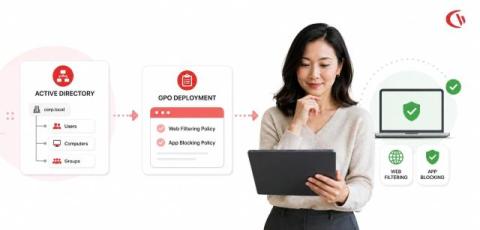
The control of web access and the execution of applications are fundamental components of cybersecurity, data loss prevention (DLP), and workforce productivity in today’s enterprise IT environments. In 2026, as businesses move towards hybrid working models, IT administrators need centralized control methods that integrate seamlessly with their existing Microsoft systems.