Teams | Collaboration | Customer Service | Project Management

Tracking vs. Monitoring: What Leaders Must Know about Employee Oversight

Did you know that 94% of organizations use some form of employee tracking or monitoring? Yet, many struggle to distinguish between the two. Work is different now, and companies need to pick: Should they track employee movements, monitor what they do on computers, or both? The right choice impacts productivity, compliance, and workplace morale. In this article, we'll explain the differences between tracking and watching workers. We'll also tell you what's good and not so good about each one.

Advantages & Disadvantages of Computer Tracking Software

In the times of remote and hybrid work culture, it is well understood how important computer tracking software is. Though employees and employers both have different scales of apprehensions and opinions regarding it. Therefore, on that note, let’s have a look at the advantages and disadvantages of computer tracking software.

How Automated Attendance Software Reduces Payroll Errors and Saves Costs

In today’s fast-paced business environment, companies are constantly seeking ways to improve efficiency, reduce errors, and cut operational costs. One area that often gets overlooked is attendance management, which directly impacts payroll processing. Manual attendance tracking methods are not only time-consuming but also prone to errors, leading to payroll discrepancies and unnecessary financial losses. This is where automated attendance software comes into play.

The Complete Guide To Screen Monitoring Software

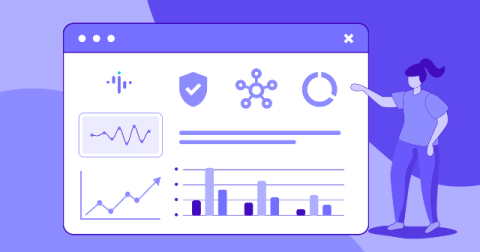
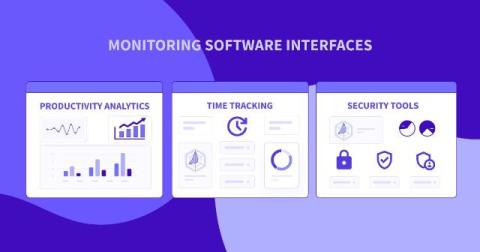
Screen monitoring software, also known as employee monitoring software, is a digital tool designed to track, record, and analyze computer activity. This includes capturing screenshots, monitoring active and idle time, tracking application usage, and even logging keystrokes in some cases. Its primary goal is to provide organizations with insights into employee productivity, resource utilization, and security compliance.

Benefits of Computer Tracking Software in 2025 | DeskTrack

Benefits of Computer Tracking Software in 2025 | DeskTrack Follow us on Social Media Handles for more Updates: computer tracking software computer tracking pc tracking software employee computer monitoring software computer monitoring software free free computer monitoring software employee computer monitoring software free how to monitor employee computer activity computer lab monitoring software laptop tracking software.

What is employee monitoring software? And how does it work?

It has become increasingly challenging to monitor and assess employee productivity, attendance, and software use. That’s why implementing employee monitoring software can prove invaluable whether you have an office-based, hybrid, or remote workforce. According to Verified Market Research, the employee monitoring software market is expected to grow by 11.10% annually, increasing from $627.93 million in 2023 to $1.73 billion by 2031.

10 Tech-Driven Strategies for Managing Remote Teams in 2025

Managing remote teams has grown far beyond communication tools, and with 2025 around the corner, technology continues to play a massive role in increasing the effectiveness of remote working. Here are 10 tech-driven strategies for effectively managing remote teams, as many organizations implement hybrid or fully remote models. These remote workforce best practices will ensure teams stay engaged and productive, enhancing collaboration and output. Let’s get into it!

The Ultimate Guide to Automated Attendance Systems: How They Work and Why They Matter

Employee attendance tracking plays a critical role in business operations and workforce management. It helps organizations ensure employees are working their scheduled hours, prevents absenteeism, and simplifies payroll processing. However, traditional attendance tracking methods—such as manual registers, punch cards, and spreadsheets—are outdated. These methods are prone to errors, inefficiencies, time theft, buddy punching, and compliance risks.