Teams | Collaboration | Customer Service | Project Management

Everything You Need To Know About We360.ai | Employee Monitoring Software | We360.ai

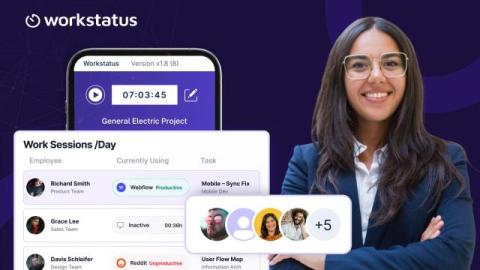
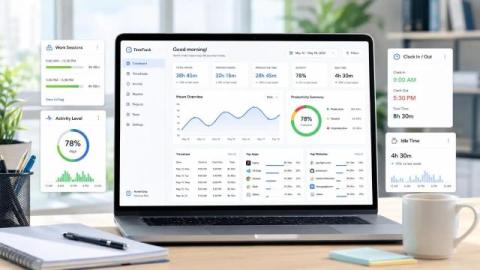
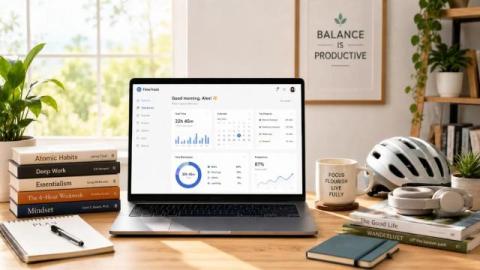
Explore all We360 features in one complete walkthrough and understand how the platform helps teams work smarter, stay focused, and improve productivity with clear, actionable insights. In this video, you will see how We360 tracks active work patterns, provides meaningful focus time insights, highlights top applications and category usage, and reveals performance trends across teams and time. The walkthrough also shows how leaders can gain team-level visibility without micromanagement.

How to Monitor Remote Employees Ethically Without Spying

Managing a remote workforce means finding the right balance of visibility and respect for your employees’ privacy. Heavy-handed “bossware” that secretly records every keystroke or webcam feed may boost short-term compliance, but it often backfires. Studies show that invasive employee monitoring can increase stress and reduce job satisfaction.

Pros and Cons of Monitoring Employees in Stealth Mode

Key Takeaways: Stealth monitoring means software runs quietly on computers. True "covert" monitoring happens when workers don't know about it. When done right, it can spot problems like strange file transfers, malware clicks, or broken rules. This helps managers see what happened and when. Good monitoring programs follow a simple plan: Tell employees about it in your policy. Only track work activity. Give access based on job roles and delete data quickly.

How to Use enPowerManager-Remote PC Power Manager & Employee Login Tracker (v12) | CurrentWare

Today I’m going to show you how to get started with implementing your first PC power management policies with enPowerManager. This video will cover the key features of enPowerManager, including: For the best results, set enPowerManager to PC mode rather than User mode. This will give you access to the most features. Before watching this video you should already have the CurrentWare web console set up, the CurrentWare Clients installed on the computers you would like to manage, and your users or computers placed in their own policy groups.

Why You Need Work Intelligence (Not More Dashboards)

Your dashboards say everything is on track. But margins keep shrinking. Time is tracked. Projects look green. Productivity tools are running. So what’s missing? The problem isn’t lack of tools. It’s fragmented visibility. When time, projects, productivity, and attendance live in different systems, managers see numbers, not patterns. And when work patterns stay invisible, margin leakage, overruns, and burnout build quietly.

How to Use BrowseControl Web Filter & App Blocker (v12) | CurrentWare

Don’t let internet abuse run rampant in your organization. Take back control over web browsing with a free trial of BrowseControl. BrowseControl is an easy-to-use web content filtering software that helps organizations enforce policies, improve productivity, reduce bandwidth consumption, and meet compliance requirements - no matter where their users are located.

How to Use BrowseReporter Employee Monitoring Software (v12) | CurrentWare

Monitoring employee internet use is essential for ensuring productivity, security, and compliance among in-office and remote employees alike. In this video you will learn how to monitor employee internet use, the critical role that employee monitoring software plays in protecting your business, and some best practices for monitoring employee internet usage. TIMESTAMPS RELATED VIDEOS FOLLOW US ONLINE.

How to Use AccessPatrol USB Control Software (v12) | CurrentWare

Don’t let a preventable data leak ruin your organization. Take back control over portable storage devices with a free trial of AccessPatrol USB device control software. Stop Data Theft to Removable Storage Devices Audit USB Activity to Investigate Data Breaches Get Alerts of High-Risk USB Device Usage Portable storage devices such as USB flash drives are a convenient way to transfer files and store data, but they’re not without their risks.