Teams | Collaboration | Customer Service | Project Management

What is Stealth Monitoring? Definition, Benefits & Industry Uses

57% of database breaches happen due to internal factors. That’s why stealth monitoring exists. Stealth monitoring is a way to track what someone does on a device without them knowing. The monitoring tool runs quietly in the background. Then, it provides the admin with all the user data for analysis.

Stealth Monitoring for Security: Stopping Threats in 2026

When 68% of breaches occur due to “human element”, traditional security is not enough. This is where stealth monitoring comes in. In the security world, it’s not about spying. It’s about User Activity Monitoring (UAM) or Endpoint Telemetry. And secret monitoring proves to be the most effective for such datapoints. In this blog, we’ll cover the issues stealth aims to solve for security and the data you should capture with it.

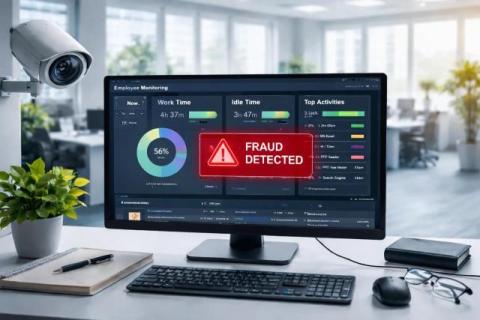
Pros and Cons of Monitoring Employees in Stealth Mode

Key Takeaways: Stealth monitoring means software runs quietly on computers. True "covert" monitoring happens when workers don't know about it. When done right, it can spot problems like strange file transfers, malware clicks, or broken rules. This helps managers see what happened and when. Good monitoring programs follow a simple plan: Tell employees about it in your policy. Only track work activity. Give access based on job roles and delete data quickly.

Apploye Manual Time Entry Tutorial | How to Add Manual Timesheet

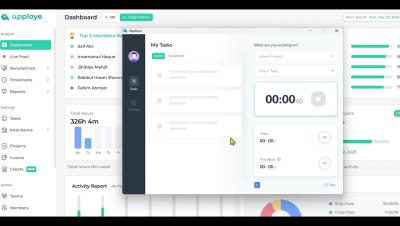
Apploye Manual Time Entry Tutorial | Step-by-Step Guide Forgot to turn on/off the time tracker app? Need to log work hours manually in Apploye? This tutorial will show you exactly how to use the Manual Time Entry feature in Apploye. Whether you need to add missed hours, correct an entry, or track offline work, we’ve got you covered! What You’ll Learn: How to enable & configure manual time entry Step-by-step process for adding manual time Managing & editing manual time logs Best practices for accurate time tracking.

How to Add Clients & Grant Access in Apploye

In this video, learn how to add clients in Apploye and grant them access to the reports or projects you want them to view. We’ll walk you through how to create a client profile, assign projects, manage permissions, and share controlled access securely. Perfect for agencies, service providers, and teams who work with multiple clients and need clear visibility into work hours and project progress. Apploye makes client management simple, secure, and transparent.

Employee Productivity Report: A Secret To Your Business Success

Are you a small business owner or a growing team that wants to improve employee performance? Then it’s time you introduce your business system with employee productivity reports. For managing individuals' performance to mapping your business goals, measuring employee productivity are the fundamentals of how your business works. And to ensure your business success, why should you create one?