Teams | Collaboration | Customer Service | Project Management

Step-by-Step Guide to Implementing Time Tracking in IT Companies

Manual time tracking is outdated, error-prone, and often hurts productivity instead of helping it. For IT companies managing remote, hybrid, and agile teams, the right time tracking system is no longer optional—it’s essential. In this video, we walk you through a step-by-step guide to implementing time tracking in an IT company, from defining goals to successful rollout and optimization. What you’ll learn: The hidden risks of manual time tracking in IT teams Why ineffective tracking can cost up to 20% of annual productivity Key steps for smooth implementation.

Manual Time Tracking & Approval with Workstatus

Workstatus: Manual Time Tracking & Approval Made Simple Not all work happens in front of a screen - and that’s where Workstatus helps. In this quick demo, see how employees can easily log missed hours and how managers can review, approve, or reject manual time entries with just a few clicks. Whether you're managing freelancers, remote employees, or in-office teams, Workstatus helps you track productivity, manage attendance, monitor tasks, and make data-driven decisions – all in real-time.

Managing a 50+ Member Remote Team? See how Workstatus can Help

Managing a remote workforce of 50+ employees creates challenges that traditional management approaches simply can’t solve. The most common problems you might be facing: Without proper tools, even experienced leaders find themselves making critical business decisions based on assumptions rather than actual data. This leads to The solution lies in implementing remote team management software that provides detailed insights and automated workflows designed specifically for large-scale operations.

Workstatus Reveals How Hybrid Teams Spend 40+ Hours Weekly

You are the COO of the organization who introduced a hybrid set-up, expecting better work-life balance and happier teams. But is this improving productivity, or creating a new set of challenges? A hybrid set-up is expected to provide: Yet this shift has created a new problem for your organization. With distributed schedules and fewer in-office cues, measuring effectiveness is no longer straightforward. Here, employee time tracking software emerges as an essential tool.

How Workstatus's Screenshot Feature Improves Accountability for Agencies

Managing multiple clients, deadlines, and a growing remote team? You’re not alone. Many agencies face one big challenge – accountability. You might already be using time tracking, but: That’s where screenshot monitoring for agencies helps. It gives you: This post discusses how you can use the simple features built for the way you work in Workstatus to boost accountability, strengthen client trust, and improve team performance.

Best Project Management Tools for Fast-growing Startups

Startups often face setbacks due to operational lags. They know something is missing, but are unable to fix it. Managing projects or achieving milestones with limited resources is usually the most common challenge for any startup. While bringing resources aboard and infrastructure expansion might seem to be the solution, they turn out as expensive investments – in most cases. More capital deployment does not guarantee business success.

5 Ways Workstatus Reduces Operational Overhead

Managing operations is not easy. Start your day with big plans and end up drowning in small tasks that eat up all the time. Does this sound like you? Whether you’re managing a team or taking care of operations, you are wearing multiple hats of: All these small tasks add to operational overhead. They take time away from the work that really matters – growing your business and serving customers better.

MS Planner Too Expensive? Try Workstatus | Smarter Project Management

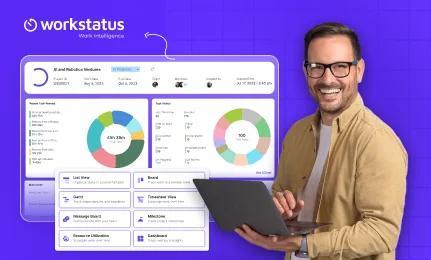
Still paying $10/user for Microsoft Planner with limited flexibility? It’s time to switch to a smarter, budget-friendly solution. Meet Workstatus – the all-in-one alternative to MS Planner for visual project planning, cost control, and real-time team collaboration.

Top 10 Business Management Tools for Every Business Owner

Running a business isn’t a sprint. It is indeed a relentless stretch of quick decisions, long work nights, and juggling priorities. As a business owner, you are not just leading – you are playing many characters. Team Manager – Coordinating people and performance. Finance Handler – Reviewing budgets and following-up on invoices. Project Coordinator – Managing timelines, expectations, and tasks. Tech Navigator – Learning and adapting to new-age tools to stay ahead.