Teams | Collaboration | Customer Service | Project Management

28 Free Employee Schedule Templates (Excel, Word, Sheets, & Docs)

Get a jump start on creating schedules in Microsoft Excel, Google Sheets, Microsoft Word, or Google Docs with these 28 free employee work schedule templates. We’ve provided lots of options for different scheduling types — including monthly, weekly, and daily options — as well as options for scheduling employees by location, project, or position.

How to Make an Employee Schedule in Excel (+ Templates)

In this post, we’re going to walk you through an eight-step process for how to make a schedule for employees in Microsoft Excel. We’ll also share a few free Excel templates you can use to get started and highlight some of the benefits and disadvantages of using Excel for creating employee schedules. Related: You might also like our guides on how to make an employee schedule in Google Sheets and how to create an employee schedule in Google Calendar.

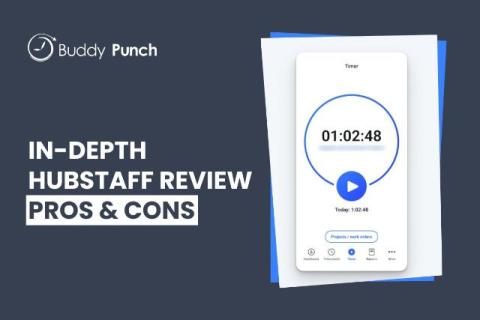
Hubstaff Review: Features, Pricing, and User Experience

Hubstaff is an employee time tracking app that offers every feature you could ever possibly want from your time tracking software. Naturally, you can use it to track employees’ hours. But you can also use it to see what apps and URLs employees visited while working, where they traveled while clocked in, and how often they were idle while billing time.

How to Calculate Overtime Pay: A Guide for Beginners

Overtime is one of the costliest labor expenses a business can have. Overtime hours, mandated by the Fair Labor Standards Act (FLSA) to be paid at a rate of at least one and a half times an employee’s regular rate of pay, can quickly add up. Furthermore, failing to be accurate when it comes to tracking overtime hours leaves you legally liable, since the FLSA requires employers to maintain accurate records of all employee time worked and wages paid.

How to Do Payroll For a Construction Company: Tips & Tools

Construction companies have one of the most difficult payroll processes of any industry. There are a lot of moving parts that open you up to accidentally calculating employee wages inaccurately, failing to remain tax compliant, and winding up legally liable. In this post, we’re going to walk you through how to do payroll for a construction company, breaking down all the necessary steps to follow to ensure you’re compliant with state, local, and federal laws.

How to Calculate Payroll: A Guide for Beginners

The importance of how you handle employee paychecks goes beyond the amount you pay them. Frequency of payment, accuracy of compensation, and thorough deductions are critical for managing employee satisfaction and ensuring your business complies with local, state, and federal laws. This guide will walk you through all the necessary steps to calculate payroll accurately and effectively for your employees, including categorizing them, applying necessary deductions, and determining pay periods and timing.

How to Identify and Prevent Excessive Tardiness at Work

Let’s say you have a perfect employee: Stan. Stan’s the man. He’s the most efficient worker you have, is very personable with customers, and generally boosts team morale when he’s around. The only problem is that he tends to come to work 10-20 minutes later than starting time. That means that Stan is not a perfect employee. In fact, he’s a borderline harmful one — even if he doesn’t mean to be.

Creating an Employee Attendance Policy: Guide & Template

Crafting a fair but consistent employee attendance policy can make an impact not only on your business’s bottom line but also on your team’s morale and retention. But it’s easier said than done. Different employees have different needs: family care, mental health circumstances, remote locations, cultural holidays, you name it. How does a business take all of this into account while keeping the attendance policy consistent and compliant with ever-changing labor laws?