Teams | Collaboration | Customer Service | Project Management

Productivity Trends 2026: What the Data Actually Shows

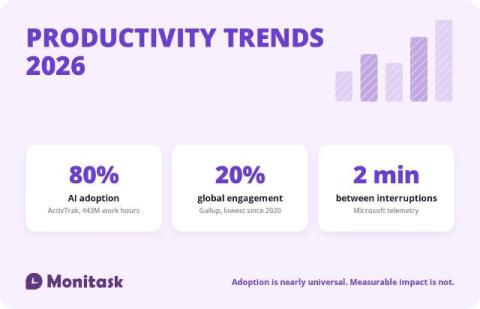
The defining productivity story of 2026 is not that AI arrived. It is that AI arrived almost everywhere and the results have not shown up on the balance sheet. Adoption is close to universal. Behavioural data from ActivTrak covering 443 million work hours across 1,111 companies puts AI adoption at 80%. Yet a National Bureau of Economic Research survey of roughly 6,000 executives found that between 89% and 95% of firms saw no measurable impact on productivity or employment over the preceding three years.
Project Planning: Building a Schedule That Survives Contact With the Calendar

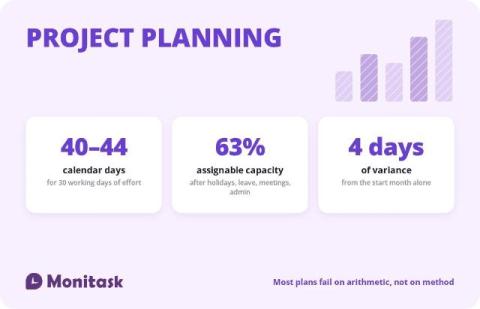
Every guide to project planning describes the same sequence: define objectives, identify stakeholders, build a work breakdown structure, estimate, schedule, add a risk register. That sequence is correct and it is not where projects go wrong. Projects go wrong in the conversion between effort and time. A team agrees a piece of work is 30 days of effort, someone writes “six weeks” in the plan, and the project lands late without anyone doing anything wrong.

Daily Schedule Template: Free Excel Shift Roster and Hourly Planner

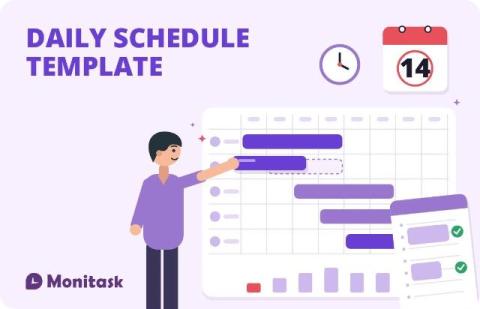
A daily schedule template does one of two things depending on who is using it. A manager uses it to put the right number of people on shift at the right hours. An individual uses it to block out a day by the hour. The template below covers both, in one Excel file. The manager version totals hours, calculates shift cost, and shows how many people are on shift during each hour of the day, which is the number most schedule templates never surface.

FTE Meaning: What Full-Time Equivalent Is, and the Two Ways to Calculate It

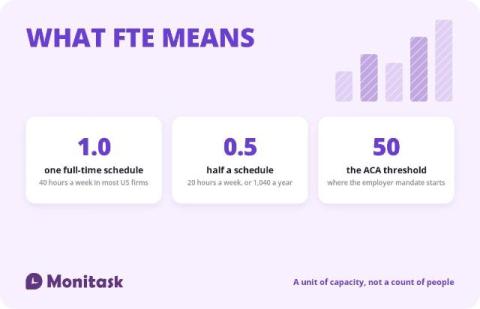
FTE stands for full-time equivalent. It is a unit of work capacity: 1.0 FTE is one person working a full-time schedule, and everything else is expressed as a fraction of that. Two people at 20 hours a week each come to 1.0 FTE in a company where full-time means 40. The formula is one line.

Attendance Sheet: Free Excel Template, Status Codes, and Retention Rules

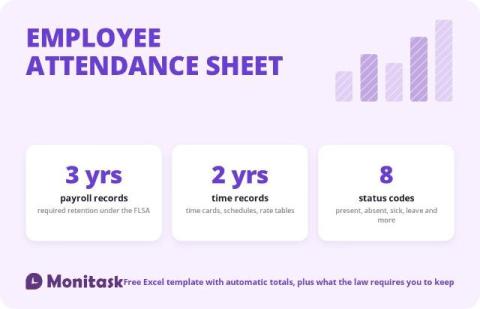
An attendance sheet records who worked, who was absent, and why, day by day. It sits underneath payroll, absence management and any dispute about hours, which is why the format matters more than it looks. The template below is free, works in Excel and Google Sheets, and totals itself. It also carries the part most attendance templates leave out: the FLSA requires employers to keep payroll records for three years and the underlying time records for two.

The Top 5 IT Jobs That are Easy to Get Into

Getting started in technology does not always require a computer science degree. Many IT jobs without a degree are accessible to candidates who can demonstrate practical skills, relevant certifications, hands-on experience, and a strong understanding of the tools used in the role. Fields such as IT support, systems administration, networking, cybersecurity, and web development often place significant value on what candidates can actually do.

10 Ways to Keep Yourself Safe from Layoffs

Layoffs have become a reality across many industries, affecting companies of all sizes. Economic uncertainty, artificial intelligence, automation, shifting business priorities, and global competition are changing how organizations hire, retain, and manage talent. While no employee can completely eliminate the risk of being laid off, there are practical steps you can take to become more valuable, adaptable, and prepared for change.

InDepth Guide: 12 Steps to Automate Your Employee Onboarding Workflow

Manual onboarding is a mess waiting to happen. Documents slip through the cracks, tasks get missed, accounts aren’t ready on day one and the result is a disjointed experience that frustrates HR and underwhelms your new hires. It’s not just inefficient; it’s a bad first impression. Automation changes that. With the right tools, you can turn a scattered process into a smooth, repeatable system that’s faster, more reliable, and easier to scale.

The Top 10 Time-Blocking Techniques That Maximize Your Productivity

Time blocking is when you set time aside to work on specific tasks. The time block can help you get more done because you’re trying to do only some things simultaneously. You can also use time-blocking apps to ensure you’re not wasting time on things that don’t matter. This article will discuss what time-blocking is and how you can use this to improve your productivity. We will provide tips on how to get started.

How Employees Can Tell If They Are Being Monitored

Employee monitoring is becoming a standard practice in many organizations, driven by the growth of remote work and the rise of advanced surveillance tools. These technologies allow employers to track a wide range of activities—from measuring productivity to safeguarding company assets. While the goals may vary, monitoring often sparks concerns about privacy, trust, and the overall workplace atmosphere. For employees, the idea of being under surveillance can be unsettling.